
Spending your days answering emails, booking meetings, following up with prospects and chasing unpaid invoices? Good news: an AI agent will take a big chunk of that work off your plate. Not by telling you what to do, but by doing it, start to finish. 👽
This guide starts from zero: what an AI agent is, how it differs from a basic chatbot, and how it gives you back hours every week. Then we walk you through the 10 best AI agents to have, one for each major area of your day: organization, prospecting, email, meetings, invoicing, customer service and more. You'll leave with a simple method to launch your first agent this week.
What is an AI agent?
An AI agent is software that takes a goal, decides on its own which steps to take, and acts using your tools: your inbox, your calendar, LinkedIn, your invoicing software. Where classic generative AI waits for your question before it answers, an AI agent takes the initiative within the limits you set. 🤖
Here's a concrete example. You ask ChatGPT to "write me a follow-up email." It writes the text, and you send it. You tell an AI agent to "follow up with the clients who haven't paid their invoice." It finds the overdue invoices, writes a message tailored to each client, sends it and lets you know when someone replies. The first one helps you. The second one does the work for you.
AI agent, chatbot, AI assistant or prospecting automation: what's the difference?
These terms get mixed up a lot right now, and every vendor slaps the "agent" label on its products. Here's how to tell them apart at a glance, using the same example for each type: following up with a prospect who hasn't replied. 🛰️
What you give it | What it does for the follow-up | Who acts in the end | |
|---|---|---|---|
Chatbot | A question | Answers your question about the best way to follow up | You |
AI assistant | An instruction | Writes the follow-up message when you ask for it | You, copying and sending it |
Automation tool | A sequence you built | Sends the follow-up scheduled for day 5, always the same one | The tool, following your fixed rules |
AI agent | A goal | Picks when to follow up, writes a message tailored to the prospect and handles the reply | The agent, with your approval if you want it |
The real dividing line sits in the middle column. An automation tool follows the sequence you wrote to the letter, the way automated LinkedIn messages do. An AI agent adapts to each situation and makes its own decisions. It does more, and it also needs a clearly defined role.
How does an AI agent work?
Every AI agent runs on four building blocks. Once you know them, you'll pick the right tool and avoid nasty surprises. ⚙️
A goal. The mission you give it: landing meetings, sorting your inbox, prepping for your calls.
Tools. The agent connects to your apps (calendar, messaging, CRM, LinkedIn) to act, not only to read.
Memory. It remembers your context, your preferences and your corrections to do better next time.
A level of autonomy. You decide whether it asks you to approve every action or moves ahead on its own and only pings you when needed.
The engine behind all this is a large language model (LLM), the same kind of technology as ChatGPT or Claude. It understands your instructions in plain language, plans the steps and writes the messages. Want to see this logic applied to a specific job? Our article on the AI sales rep shows how an agent takes over the work of an SDR.
The 3 levels of AI agent autonomy
Not every AI agent gives the machine the same freedom. Before you pick a tool, check which level it sits at, and above all whether it lets you switch between them. 🎚️
The copilot. The AI prepares the work (a draft, a list, a summary) and you make every call. It's the safest level, and also the one that saves you the least time.
The agent in approval mode. The AI handles the task end to end, but runs every important action by you before executing it. You stay in control and still hand off most of the work.
The autonomous agent. The AI acts alone within the limits you set and only comes to you when it gets stuck. This level frees up the most time, as long as you've trained the agent well.
The smart move is to start in approval mode, then give the agent more freedom as it proves itself. It's the same logic as good lead management: you delegate what's under control and keep a hand on what's strategic.
Why an AI agent makes your life easier
If you're a freelancer, a founder or part of a small team, you know the feeling: you spend more time running your business than doing the work. Emails, your calendar, client follow-ups, invoicing, prospect research… Each task takes ten minutes, but add them up and they eat your days. That's exactly where AI agents shine. ⏱️
How much time AI agents save you
The numbers all point the same way. According to Salesforce's State of Sales 2026, sales reps spend 60% of their time on tasks that aren't selling. Gartner estimates AI already gives back 4.8 hours a week to the people who use it well. And adoption is taking off: 54% of sellers have already used AI agents, according to the same Salesforce study. You'll find these numbers and more in our AI prospecting statistics.
In France, small businesses are catching up. According to the France Num 2025 barometer, 26% of French small and midsize businesses use at least one AI tool, up from 13% a year earlier. AI agents are the logical next step, because they go beyond helping you write. They take over repetitive tasks from start to finish.
A typical day, with and without AI agents
To make this concrete, take Camille, an independent consultant. 🪐
Time | Without an AI agent | With AI agents |
|---|---|---|
9 a.m., the inbox | 45 minutes sorting, answering simple questions, archiving | Emails are sorted and draft replies are waiting. She approves them in 10 minutes |
10 a.m., prospecting | She hunts for prospects on LinkedIn and writes her messages one by one | An agent has reached out to the right profiles and flags the prospects who replied |
2 p.m., meetings | She takes notes during meetings and writes the recap in the evening | The recap and action items go out automatically |
5 p.m., admin | Invoices to send, payment reminders, receipts to file | Invoices and reminders go out on their own. She checks the dashboard |
Bottom line | More than 3 hours of admin in the day | About 1 hour of approvals, the rest for her clients |
Nothing about this is futuristic. Every row matches a tool that already exists, and you'll meet them all right after this. The key is that Camille keeps control over the decisions: she approves, corrects and steps in when it matters. The agents handle the rest.
What an AI agent won't do for you
Let's be honest, an AI agent isn't magic. It doesn't replace your expertise, your client relationships or your judgment. It gets things wrong sometimes, misreads a vague instruction or misses the point when it lacks context. That's why the best tools offer an approval mode: you review everything before the agent sends it, while it learns how you work.
Keep in mind the agent amplifies whatever you feed it. A fuzzy target, incomplete information or a messy process will give you mediocre results, only faster. Before you automate anything, take the time to lay the groundwork, like a solid sales action plan for the sales side.
The 10 best AI agents to have, one per category
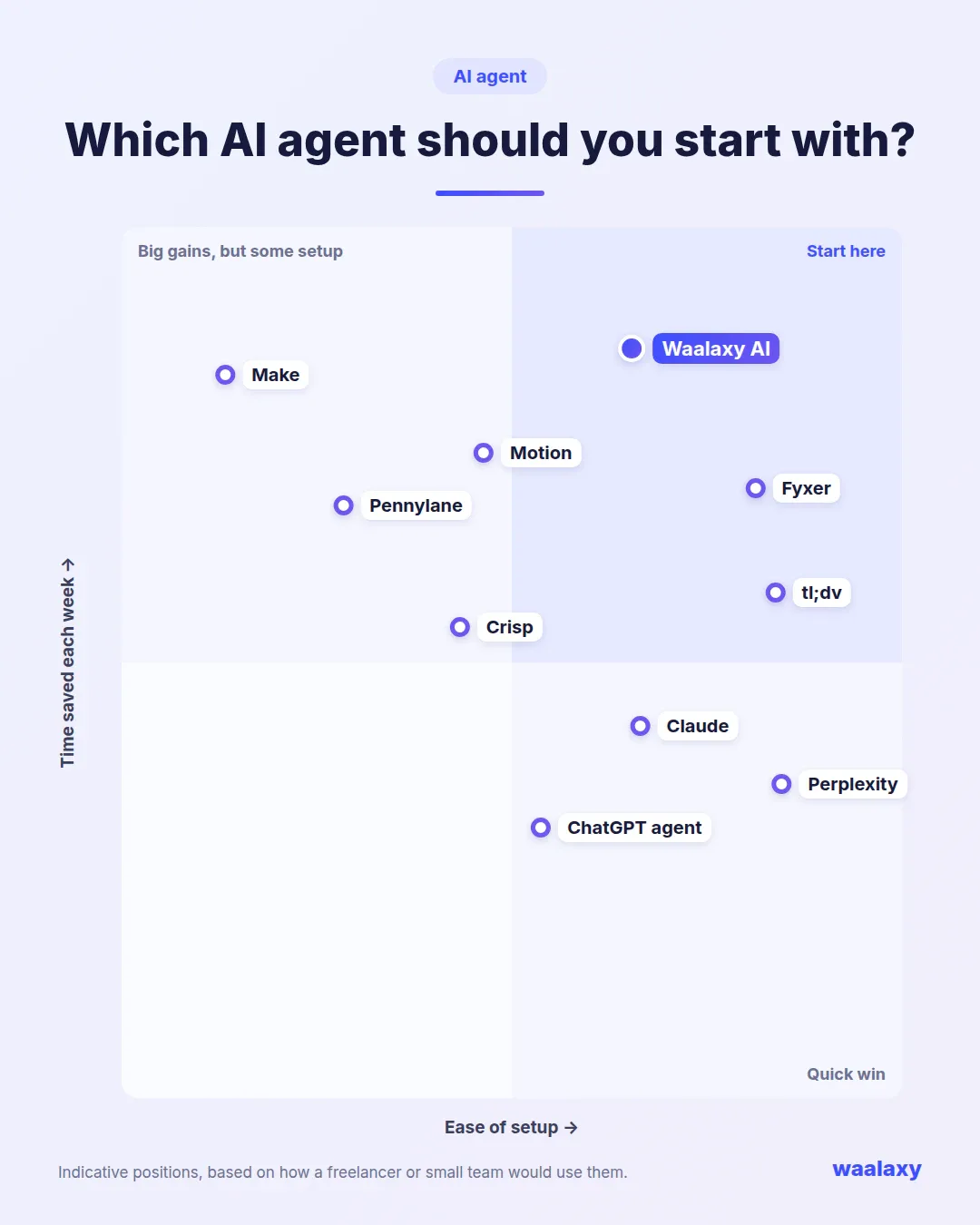
For this list, we picked one AI agent for each major part of your day. We went for tools within reach of freelancers and small teams, with real agent behavior, not a "write with AI" button. Prices are the ones each vendor listed at the time of writing. Here's the recap. The details follow. 📊
Category | AI agent | What it does for you | Starting price | Free plan or trial |
|---|---|---|---|---|
Organization and planning | Motion | Plans your tasks and reshuffles your calendar | $19/month (annual) | Free trial |
Prospecting | Waalaxy AI | Finds your LinkedIn prospects, writes the messages, runs the conversation | €99/month per LinkedIn account | 14-day trial |
Fyxer | Sorts your inbox and drafts your replies | $37/month (annual) | Limited free plan, 14-day trial | |
Meetings | tl;dv | Records, summarizes and shares your meetings | €18/month (annual) | Free plan |
Invoicing and accounting | Pennylane | Automates invoices, payment reminders and reconciliation | €7/month excl. VAT | 15-day trial |
Customer service | Crisp | Answers your customers 24/7 on your website | $45/month (4 seats) | Free plan without AI, 14-day trial |
Research and monitoring | Perplexity | Does your research and cites its sources | $20/month | Limited free version |
Content creation | Claude | Writes, analyzes your documents and produces deliverables | $20/month ($17 billed annually) | Free plan |
Automation | Make | Connects your apps and adds AI agents to them | $12/month | Free plan (1,000 credits/month) |
General-purpose assistant | ChatGPT (agent mode) | Browses the web and completes multi-step tasks | $20/month (Plus plan) | Free plan, without agent mode |
No need to adopt all ten at once. The smart move is to spot the task that eats up the most of your time each week and start with the AI agent that covers it. More on that in the method section of this guide.
1. Motion, the AI agent that organizes your schedule
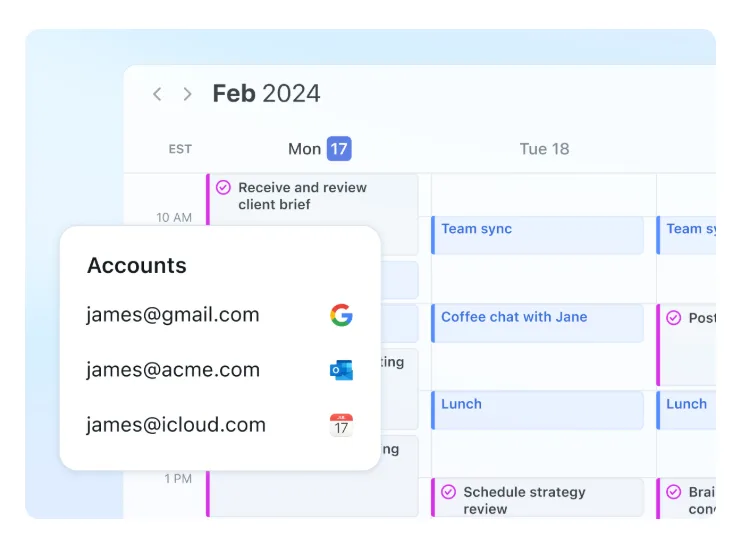
Motion starts from a simple observation: your to-do list and your calendar live in two separate worlds. The tool brings them together and lets its AI schedule your tasks in your calendar based on their priority, their deadlines and your meetings. A meeting runs over or something unexpected comes up? Motion reshuffles the rest of your day on its own. It also includes an AI chat, meeting notes and shared docs.
Who it's for: freelancers and small teams juggling lots of projects.
Price: from $19 per seat per month billed annually, with a free trial.
Strengths: automatic scheduling, a single view of your tasks and calendar.
Limitations: setting up your priorities properly takes time, and the interface is English-only.
Alternative: Reclaim.ai, which protects your focus time and habits in Google Calendar or Outlook. It has a free plan for one user.
2. Waalaxy AI, the AI agent that prospects for you
Finding clients takes forever, especially when prospecting isn't your job. Waalaxy AI is a LinkedIn prospecting agent . You give it your website URL and it suggests 2 to 4 target audiences (one of them recommended). Then it finds the prospects itself, no LinkedIn Sales Navigator needed, and filters out the ones that don't fit. Each prospect gets an invitation without a note, then 3 messages written for them, in their own language. As soon as a prospect replies, the agent runs the conversation, and when they're ready, you close. 🚀
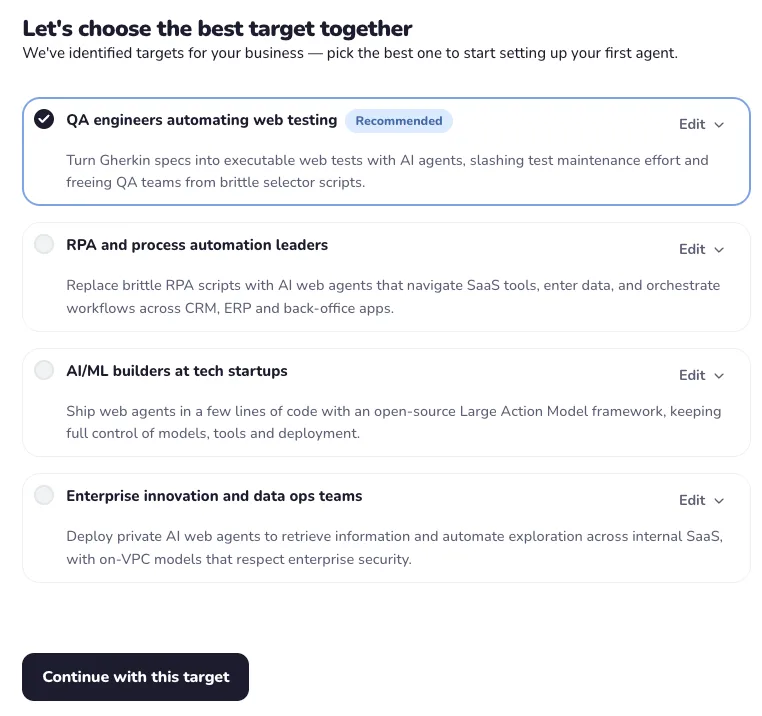
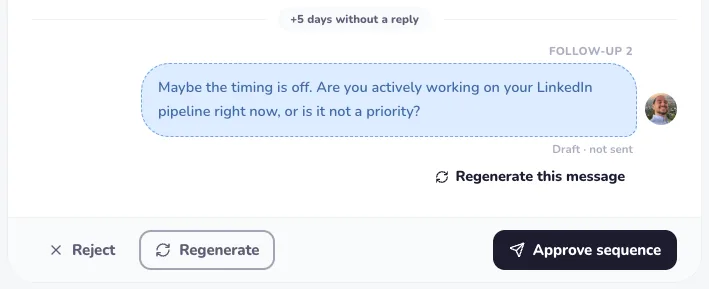
You choose your level of control. In approval mode, you approve every sequence and every reply before it goes out. You edit, regenerate with feedback or reject. When the agent is missing information, it hands over to you, and you add it to its Memory, a set of short instructions it applies to all its messages. When you're ready, you switch to autonomous mode. The agent is built on more than 100,000,000 LinkedIn messages sent through Waalaxy over 7 years.
Who it's for: founders, freelancers, consultants and small agencies who don't have time to prospect but want results.
Price: €99 per connected LinkedIn account per month, 20% off with annual billing, 14-day free trial with or without a credit card.
Strengths: getting started from your website, learning through Memory, running in the cloud with no Chrome extension.
Limitations: one channel only (LinkedIn, no cold email), and it's not a CRM.
Waalaxy AI is a separate product from Waalaxy, the tool that automates the campaigns you build yourself. To compare it with the other agents on the market, our roundup of the best AI prospecting tools puts 8 solutions to the test. And if you're new to this, the guide to LinkedIn prospecting covers the basics.
Waalaxy AI
Early access
Ideal for scaling your LinkedIn prospecting safely, with higher volumes and priority support.
14-day free trial
Included:
- Unlimited agents
- Build your targets
- Automatic prospect sourcing
- Write ultra-personalized messages
- AI-managed conversations
- Unified inbox
- Live chat support
Good to know: LinkedIn's limits (around 200 invitations a week) apply to your account whatever tool you use. Serious agents respect them, as Waalaxy's delays and quotas do, to protect your account.
3. Fyxer, the AI agent that manages your inbox
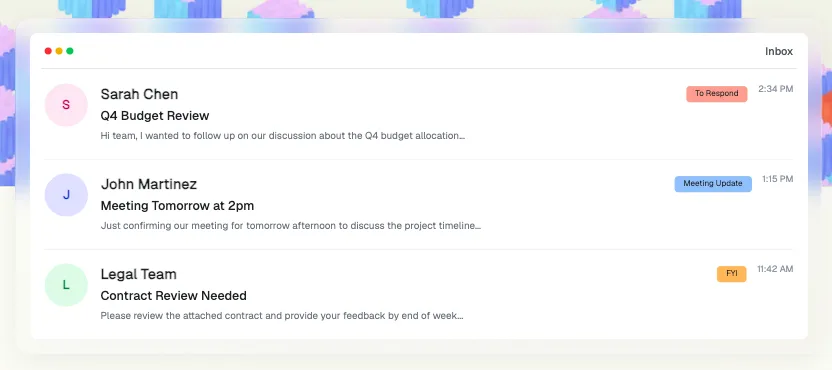
Email is still the biggest time thief for freelancers. Fyxer plugs into Gmail or Outlook, sorts your emails by priority and drafts replies in your style. All you have to do is review and hit send. It also takes notes during your meetings and keeps a list of follow-ups to send.
Who it's for: business owners and freelancers who get a lot of email.
Price: $37 per month billed annually ($49 monthly), with a limited free plan and a 14-day trial.
Strengths: ready-to-send drafts, automatic sorting.
Limitations: email-only, and you still need to review sensitive replies.
Alternative: Superhuman, a premium email client with its own built-in AI assistant. Its automatic drafts are reserved for the Business plan. For your sales emails, grab ideas from our sales email examples too.
4. tl;dv, the AI agent that takes your meeting notes
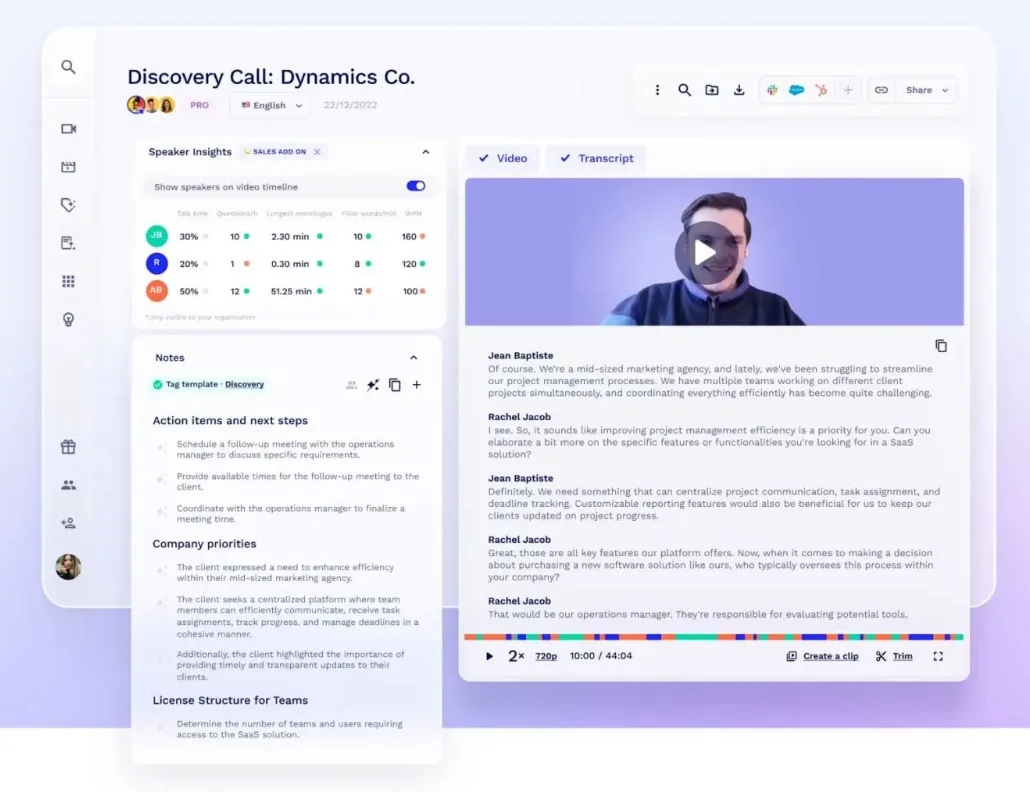
tl;dv joins your Google Meet, Zoom or Teams calls, records the conversation and produces a meeting summary with the key points and action items. It also feeds your CRM with information from your sales meetings. It even writes the follow-up emails after each meeting.
Who it's for: anyone with back-to-back client calls or team meetings.
Price: free plan to get started, then €18 per seat per month billed annually (€29 monthly).
Strengths: automatic summaries and follow-up emails, integration with sales tools.
Limitations: remember to tell the other attendees the meeting is being recorded.
Alternatives: Fireflies.ai, packed with features, or Granola, more discreet, which takes notes without a bot in the meeting. Well-kept meeting notes feed your sales pipeline with no double entry.
5. Pennylane, the AI agent for your invoicing and accounting
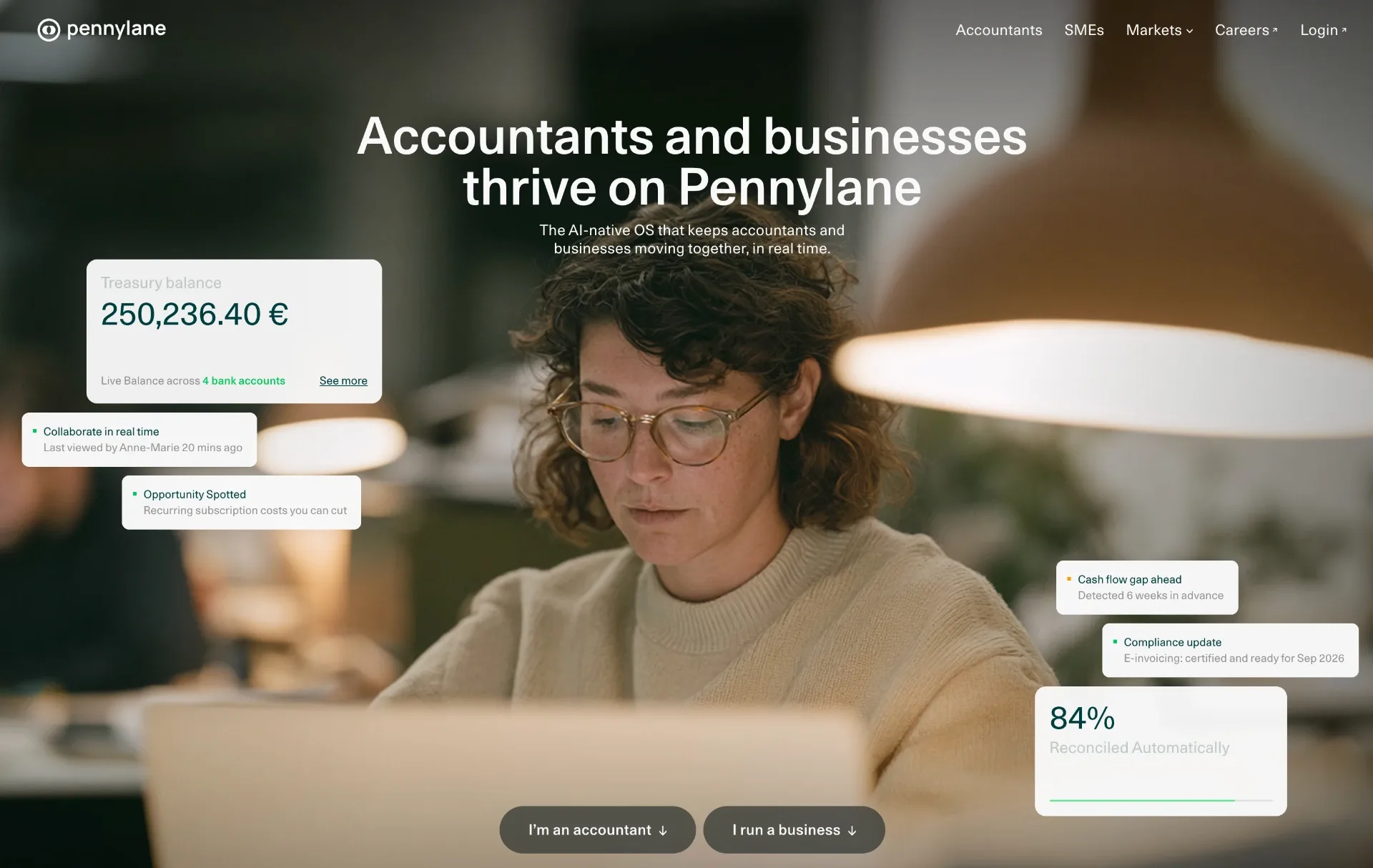
Pennylane, the French financial management platform, helps you automate invoicing, categorize expenses, match payments to invoices and chase late-paying clients, with a built-in AI assistant. You keep a clear view of your cash flow, and your accountant works from the same data. You even get to build your own AI agents in it, and the company states your data isn't used to train its providers' models.
Who it's for: small businesses and freelancers who want to be done with admin.
Price: from €7 per month excl. VAT for freelancers, with a 15-day trial and no commitment.
Strengths: automatic reminders for unpaid invoices, a direct link with your accountant.
Limitations: the tool does a lot, so it takes time to get the hang of it.
Alternatives for freelancers: Indy or Tiime, simpler and built for freelancers. Indy has a free plan and automatically categorizes the vast majority of your transactions.
6. Crisp, the AI agent that answers your customers
Crisp is a French customer messaging platform with a built-in AI agent. It answers your customers on your website, by email or on social media, based on your knowledge base. Simple questions get handled 24/7, and complex requests get passed on to you or your team. It's a big win for customer relationships when you don't have a dedicated support team. It learns from your knowledge base, your website and your past conversations.
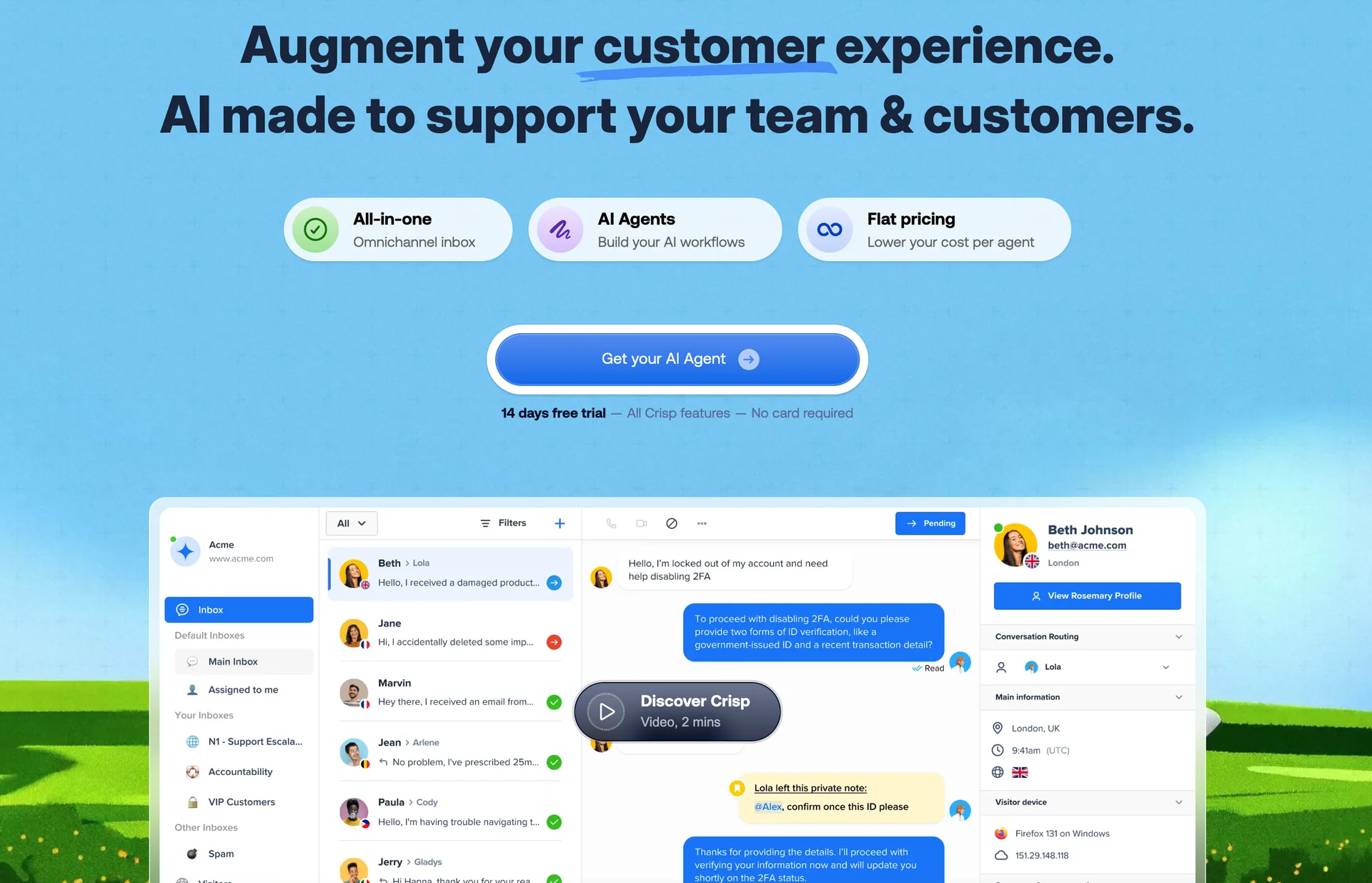
Who it's for: e-commerce stores, SaaS companies and service providers who get the same questions over and over.
Price: free plan without AI, then from $45 per month for the workspace (4 seats), 14-day trial with no credit card.
Strengths: European hosting, smooth handoff to a human.
Limitations: the quality of the answers depends on your knowledge base.
Alternative: Fin, Intercom's AI agent, highly effective and billed per resolution. It costs $0.99 per resolution, on top of Intercom seats.
7. Perplexity, the AI agent for research and monitoring
Perplexity is an answer engine. You ask a question, it searches the web, cross-checks several sources and gives you a summary with links to verify. For competitive intelligence, prepping for a meeting or getting to know a market, it saves you a ton of time. Its Comet browser goes further and takes actions for you on the sites you visit.
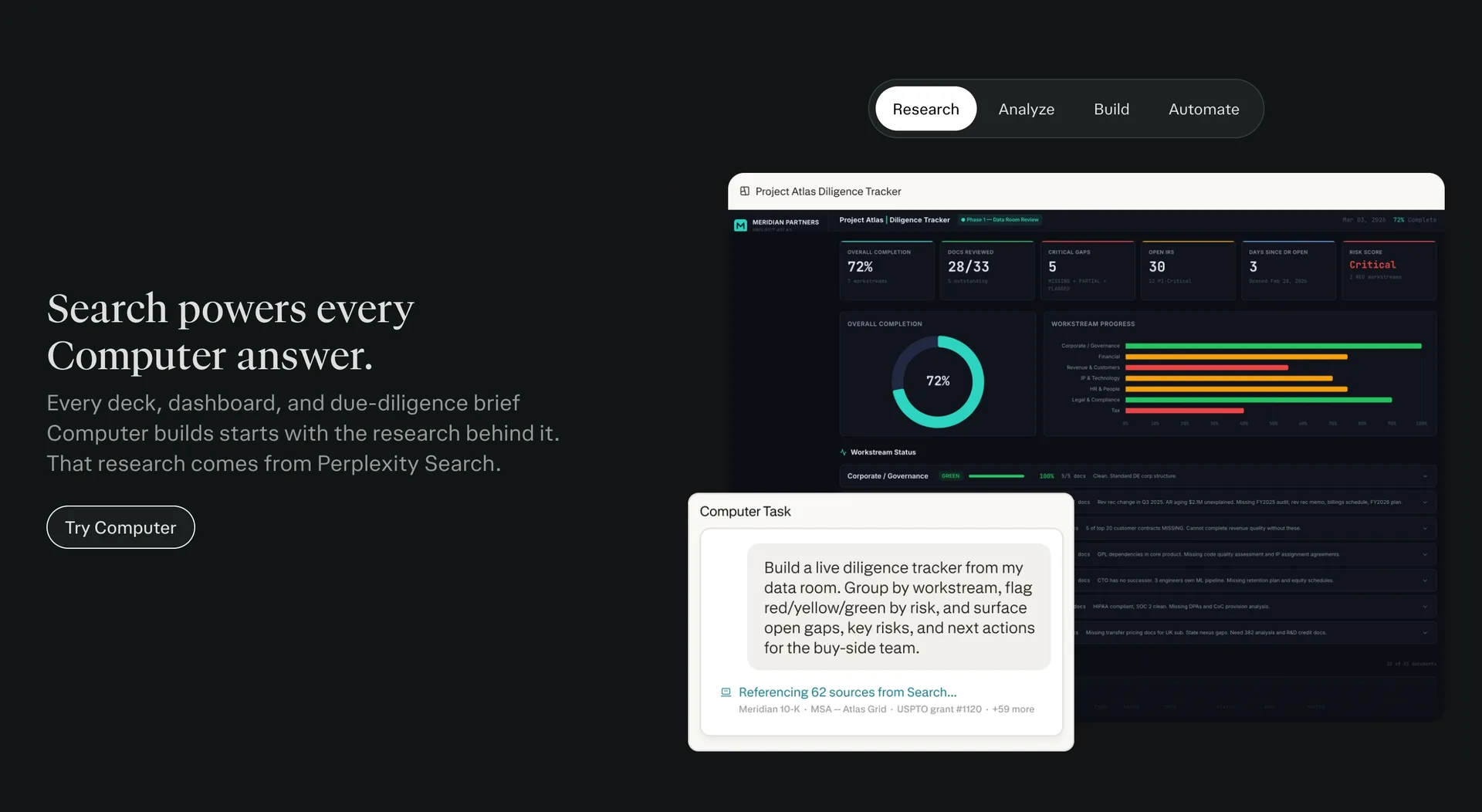
Who it's for: anyone who spends time hunting for reliable information.
Price: limited free version, then $20 per month for Pro.
Strengths: cited sources, in-depth research in a few minutes.
Limitations: always check the sources on sensitive topics.
Handy before a sales meeting: in two minutes, you know what your prospect's company does and what it's been up to lately. That helps you qualify a hot prospect before you call them.
8. Claude, the AI agent for creating content and deliverables
Claude, Anthropic's AI, is especially good at writing, analyzing long documents and producing complete deliverables: sales proposals, articles, presentations, spreadsheets. Connected to your tools, it fetches information and works through the steps of a task on its own. It's a valuable ally for your content creation and communication. The Pro plan also includes Claude Code, its coding agent.
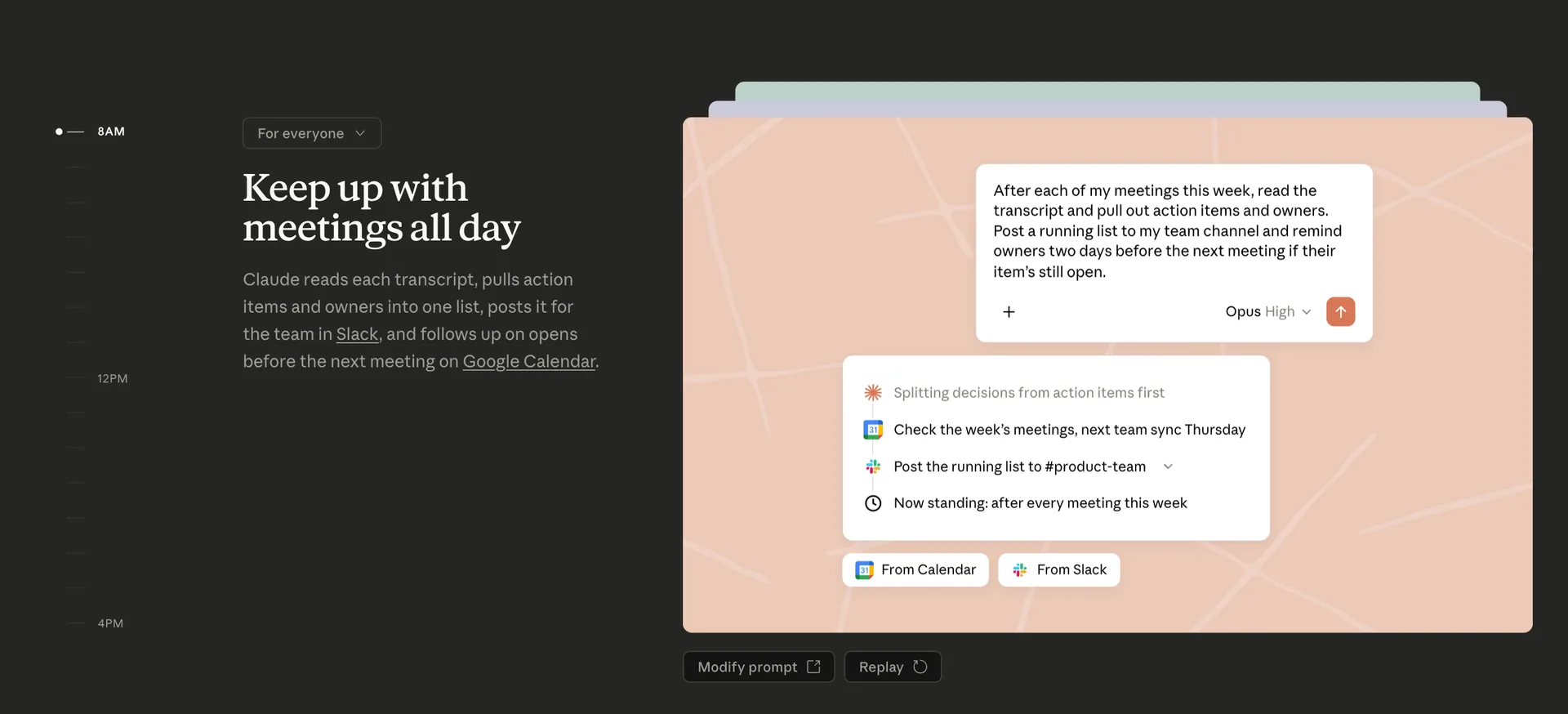
Who it's for: freelancers, marketers and business owners who produce a lot of content.
Price: free plan, then $20 per month for Pro ($17 per month billed annually).
Strengths: writing quality, analysis of long documents.
Limitations: like any generative AI, its output needs a review and a pass to match your voice.
For your posts, keep in mind your content should stay personal. Our guide to writing a great LinkedIn post and our tips on AI on LinkedIn help you strike the right balance. For prompts, our ChatGPT prompts for marketing work with Claude too.
9. Make, the AI agent that connects all your apps
Make is a no-code automation platform that links your apps together: your contact form, your CRM, your invoicing, your calendar. With its AI agents, you now place an AI in the middle of your scenarios, and it decides what happens next based on context. Make's AI agents are available on every plan.
Who it's for: slightly technical folks who want to build their own agents.
Price: free plan with 1,000 credits per month, then from $12 per month.
Strengths: thousands of apps to connect, a visual interface.
Limitations: the learning curve, and costs that climb with volume.
Alternatives: Zapier Agents, easier to pick up, or n8n, open source and self-hostable. Bonus: you're already able to sync Waalaxy with Make to send your prospects to your CRM.
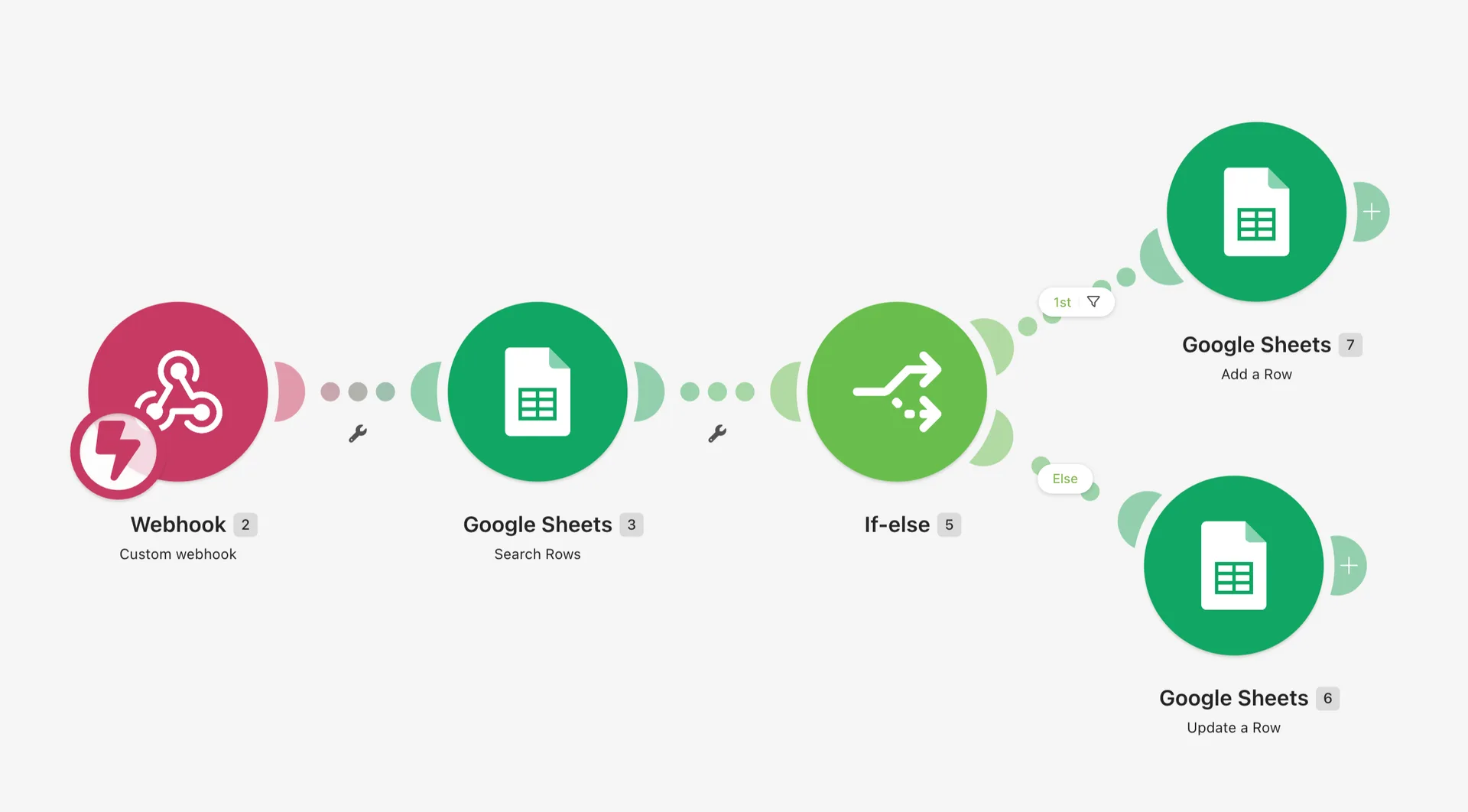
10. ChatGPT agent mode, the all-round assistant
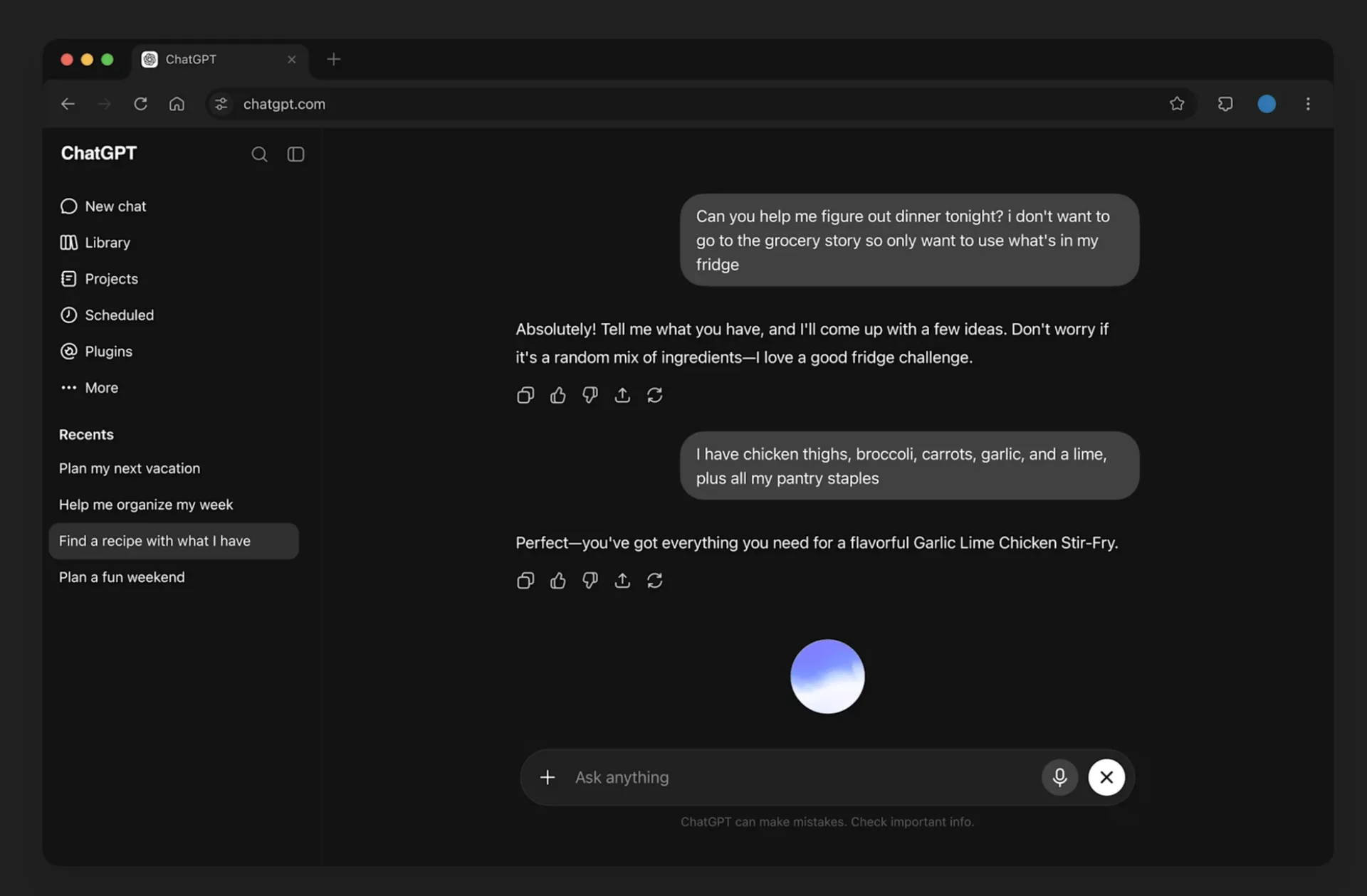
In agent mode, OpenAI's AI uses its own browser to complete multi-step tasks: comparing offers, filling out a form, pulling together a file from several websites. It's the most versatile personal assistant on this list, ideal for one-off tasks that don't justify a dedicated tool.
Who it's for: everyone, for all kinds of everyday tasks.
Price: agent mode is reserved for paid plans, starting at $20 per month with ChatGPT Plus.
Strengths: versatility, the ability to browse the web.
Limitations: less specialized than a dedicated agent, and it often asks for your confirmation.
Alternatives: Manus, an autonomous agent built to handle long tasks, or Lindy, for building personal assistants connected to your tools.
Guide: how to set up your first AI agent
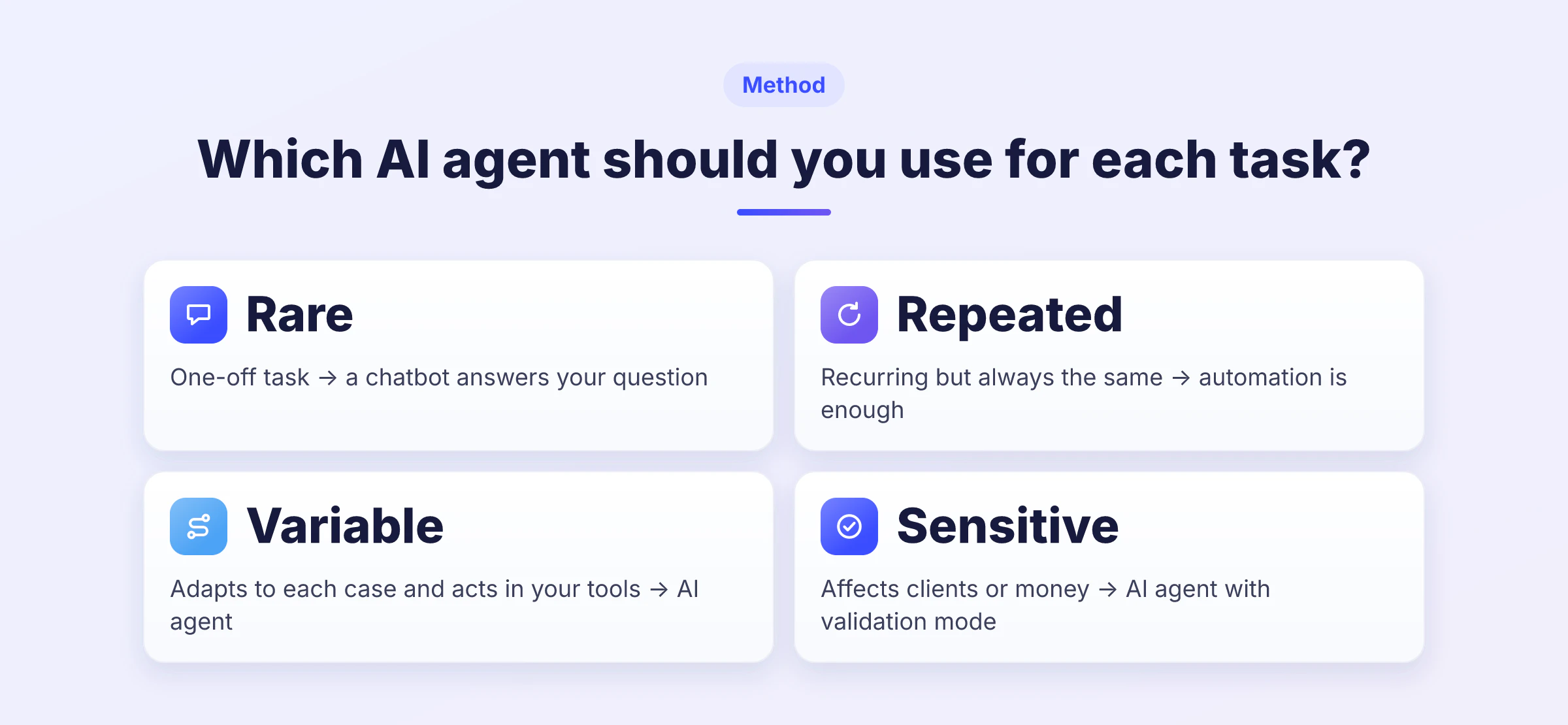
You have the list. Time to act. Here's the method we recommend so your first AI agent saves you time without creating new problems. 🎯
Pick one task. The one that takes up the most of your time each week and keeps coming back: prospecting, your inbox, invoice reminders.
Start in approval mode. For the first few weeks, review every action before it goes out. You'll catch mistakes and teach the agent how you work.
Give it context. Your offer, your prices, your typical clients, your tone. The more it knows, the better its decisions.
Measure the results. Track the time saved and the results you get, like meetings booked, not the number of actions completed.
Expand step by step. Once your first agent runs smoothly, give it more autonomy and add a second agent on another task.
Before you pick your tool, keep these 8 questions handy for the demo or the free trial. They stop you from signing up for an AI agent that shines in a presentation but doesn't fit the way you work. 📋
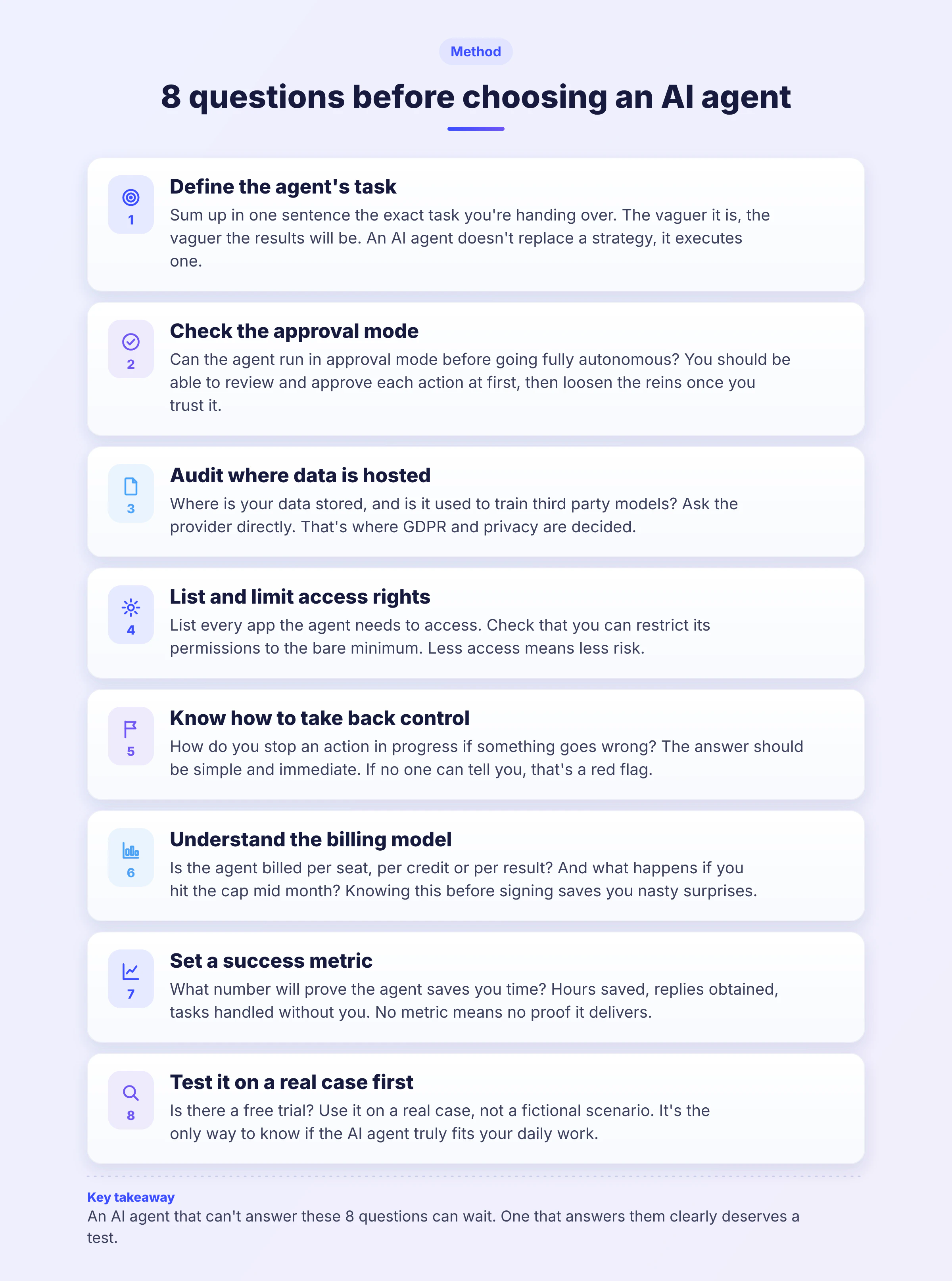
On the sales side, this logic fits perfectly. An agent that prospects needs a clear target. Take the time to build your prospecting database and define your B2B prospecting strategy before you launch anything.
How much does an AI agent cost?
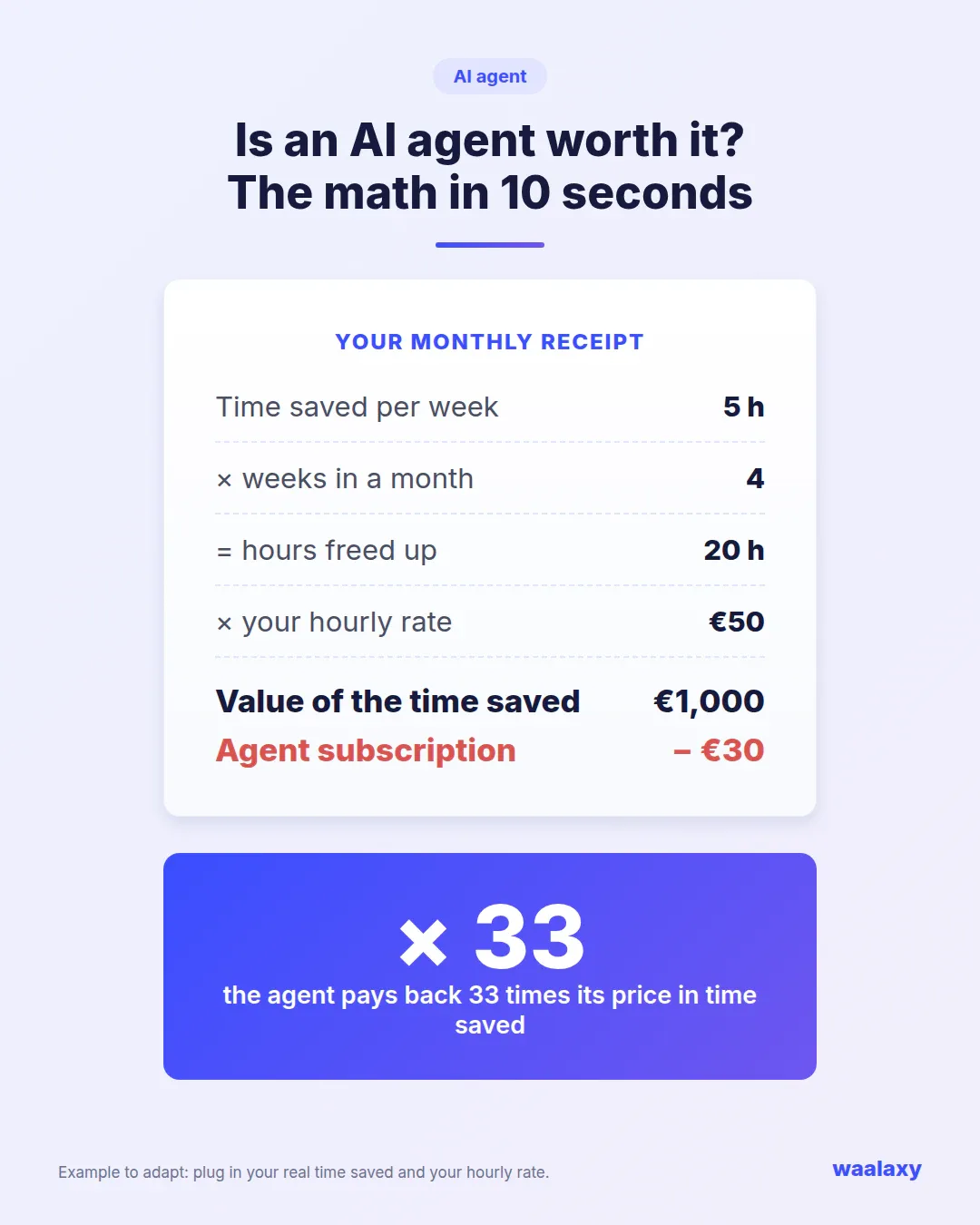
Good news: an AI agent rarely costs more than one lunch a week. Most tools in this guide start with a free plan or a trial, then run between €10 and €50 per user per month for paid plans. Specialized agents, like the ones built for prospecting or customer service, sit closer to €50 to €100 per month, because they replace a real volume of work.
To judge whether an agent pays off, don't look at its price alone. Work out the time it saves you each month, multiply it by your hourly rate, and compare. For a sales agent, divide its cost by the number of meetings it books, using the right sales KPIs. And to centralize the results of all your agents, a good CRM for your sales team remains the backbone of your organization. 💸
What to check before you start
An AI agent accesses your data and acts on your behalf. Before you sign up, check four things.
Data. Where is it hosted, and does the tool commit to not using it to train its models? The GDPR applies as soon as you process personal data.
Transparency. The EU AI Act requires you to tell people they're interacting with an AI system, unless it's obvious. Have a lawyer check your use case if your agent talks to your clients on its own.
Access. Give the agent only the permissions it needs, and keep the option to shut everything off in one click.
Total cost. Ten subscriptions at €20 or €30 add up fast. Start with the ones that bring back the most time or money.
On the prospecting side, don't forget each channel has its own rules. In the UK, the ICO sets the rules for email prospecting, and LinkedIn limits the number of actions per account. An agent that moves too fast puts you at risk of a restricted LinkedIn account.
AI agent: key takeaways from this guide
An AI agent is neither a gadget nor a replacement. It's a digital teammate you hand goals to, and it chains the actions needed to reach them. For a freelancer or a small team, it's the most direct way to win back hours every week on organization, email, meetings, invoicing and prospecting.
The right starting point: pick the task that costs you the most time, start with a single AI agent in approval mode, measure the results, then expand. If prospecting is what you're missing most, Waalaxy AI finds the prospects, writes the messages, runs the conversation, and you close. To get started on LinkedIn, the guide to launching your first Waalaxy campaign is a great way in. 👽
FAQ: AI agents
It's an AI you give a goal instead of a question. It decides on the steps, uses your tools (calendar, messaging, LinkedIn) and acts to reach that goal, asking for your input when needed.
In its classic use, ChatGPT answers your questions and writes what you ask for. Then you're the one who acts. An AI agent takes action itself, across several steps and with your tools. ChatGPT also offers an agent mode that brings it closer to this way of working.
Today there's an AI agent for almost every everyday task:
Prospecting, with Waalaxy AI, which finds your prospects and runs the conversations on LinkedIn.
Organization, with Motion, which plans your calendar.
Email, with Fyxer, which sorts your inbox and drafts your replies.
Customer service, with Crisp or Intercom Fin, which answer your customers.
Invoicing, with Pennylane, which automates invoices and payment reminders.
Yes, several tools offer a limited free plan or a trial, like Perplexity, Claude, Make, tl;dv or Fyxer. Heads-up: ChatGPT's agent mode is reserved for paid plans. Waalaxy AI offers a 14-day free trial, with or without a credit card. Free versions are enough for testing, but the most advanced agent features are often kept for paid plans.
No coding needed. Go through a no-code platform like Make, Zapier Agents or n8n. It takes four steps:
Define your agent's exact goal.
Connect the apps it needs.
Write its instructions and give it context.
Test it in approval mode before you give it autonomy.
For a business use case like prospecting, a specialized agent that's already trained will often save you more time than one built from scratch.
It replaces tasks, not people. An AI agent takes on the repetitive work (sorting, follow-ups, data entry, first messages), which frees up time for relationships, negotiation and decisions. The model that works best pairs the agent with a human, as we explain in our AI prospecting guide.
They're reliable on well-defined tasks, as long as you start in approval mode and give them clear context. On the security side, check where the data is hosted, GDPR compliance and the permissions requested. Pick tools that let you take back control at any time.