
Want a LinkedIn thank-you that rings true and gets responses?
Looking for a thank-you messagethat rings true, is easy to send on LinkedIn and gets responses? Here, every thank-you note is designed to engage without forcing, with short, human wording.
Take a look at our ready-to-copy-and-paste messages, sorted by situation, and get inspired to write a smooth first word.
Start light, with no pitch, no link, no date, then let the conversation take hold to create a natural exchange and lay the foundations for a relationship that lasts. ✨🙌
➡️ On the program:
The benefits of a good LinkedIn thank-you message.
Best practices for writing your LinkedIn thank-you message .
Examples of successful messages for every situation. 🤩
How to automate the sending of your LinkedIn thank-you messages.
Let's go ! 🚀
What is a thank you on LinkedIn?
At first glance, the answer lies directly in the question. 😂
This is a message you send via your LinkedIn messaging system, or your CRM, when you thank one or more people for various reasons.
Why should I send a thank-you message?
✨ In practice, a thank-you note is used to acknowledge a positive action (acceptance, recommendation, referral). If you're looking for a ready-to-use gratitude note, browse our examples by situation and adapt the tone to your relationship.
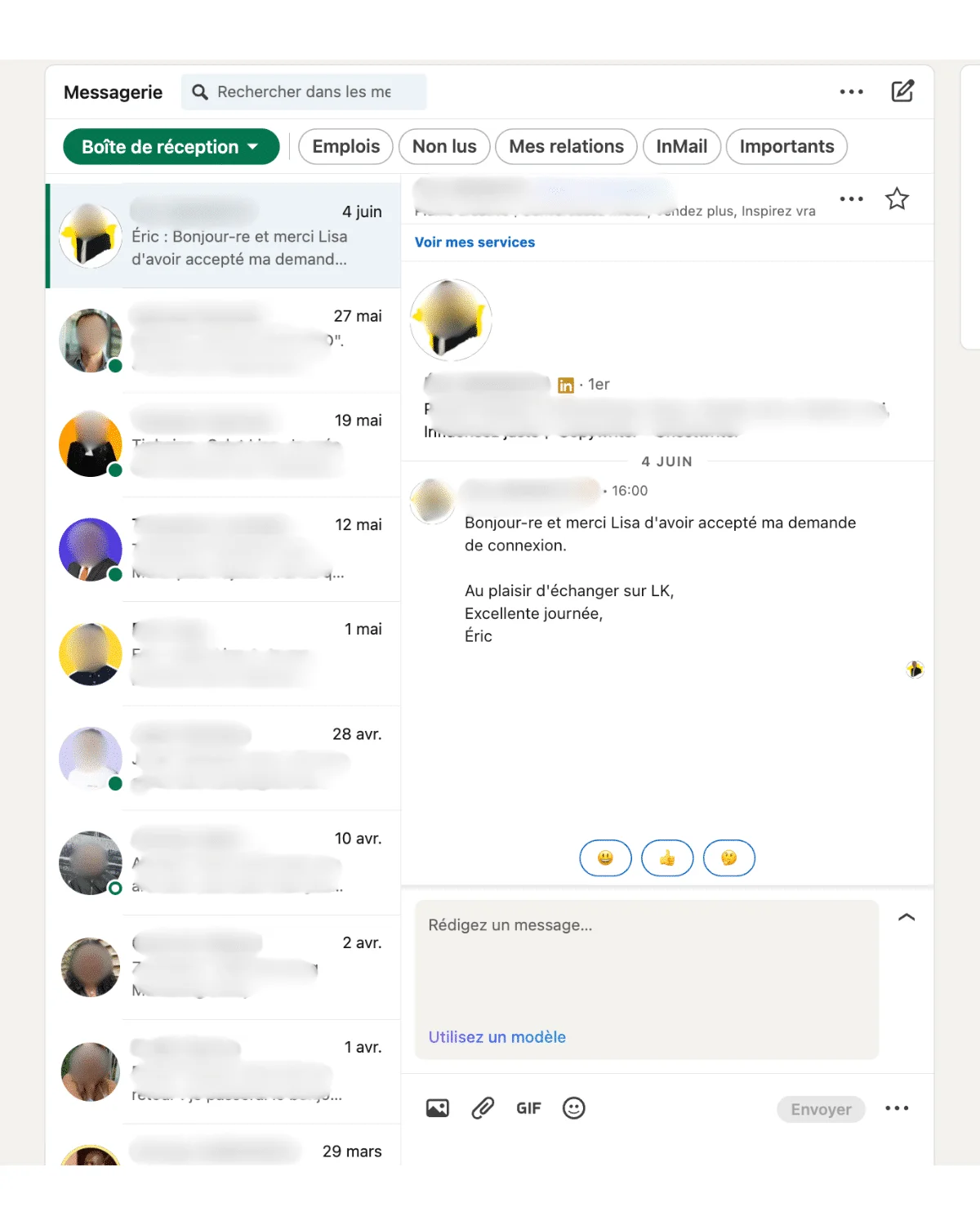
Thank-you messages on LinkedIn, while sincere, are also strategic, which is why you need to know how to write them well. ✍🏼
For example, when someone accepts your invitation, or when you :
Accept a LinkedIn connection request received on your profile.
Receive a skills endorsement or recommendation.
Receive congratulations or a promotion.
Read relevant content on the pro network.
Had a job interview or client meeting.
Want to express your appreciation to your manager or coach.
These messages will all need to be written differently, because their objectives are different. 🎯
You can also send a short « thank you for accepting » to break the ice without commercial solicitation. 🙌
Why should you send a LinkedIn thank you?
We are social species that "feed" on our interactions. 🗣️ Based on this principle, writing a LinkedIn thank-you message has many advantages. What are they?
Show your gratitude.
Establish new professional relationships, or improve existing ones.
Improve your visibility by standing out from the crowd.
Get sales, if that's your goal.
🙏 Giving thanks inevitably strengthens the bonds between two individuals. A bit of marketing psychology: gratitude is feeling favored by what you've received or been offered.
We can feel it for an individual, or for a situation. This feeling activates happiness hormones in our brain, as much when we give it, as when we receive it. 🧠
We then develop a sense of belonging, of usefulness, a feeling of fulfillment when we're complimented or thanked.
Tip: how do you say thank you for your feedback?
Simply write: « Thank you for your feedback, it's very clear. I remain available if you need anything further. » This short form works in most contexts and keeps the conversation open.✅
In short, the more you thank someone, the more they'll be led to do the same for you while developing some sympathy for you. 😊
Tip: use an AI writing assistant, like Waami to generate the right message! You'll only find it on Waalaxy!
Best practices for a LinkedIn thank-you
How to write your own LinkedIn thank-you messages?
😇 You can vary LinkedIn thank-you formats.
For example, if you want to say thank you publicly, here's how to say thank you on a LinkedIn post without falling into self-promotion: stay focused on the person or team, citethe context, end with an opening for discussion.
You can also adjust your tone with a few words: « thank you for the invitation » or « thank you for the connection » are classic tactful icebreakers. If someone writes to you first, reply soberly before following up later.
Follow these rules ✅ :
Be clear: use the key words that will speak to your recipient.
Be precise: explain the subject that leads you to thank this person.
Be concise and avoid overdoing it.
Use LinkedIn emojis 😁 to humanize your conversation, convey emotions and bring your message to life.
Adapt tutoiement or vouvoiement according to the person you're addressing.
Ask an open-ended question at the end of your thank-you note, to keep the discussion going.
Don't sign your name - it's already on the screen, and the person you're talking to may think you're not expecting a reply.
In the same vein, avoid "have a nice day" or "good-bye", which tend to make the message colder and bring the interaction to a close.
Before showing you examples of LinkedIn thank-you messages that apply these rules. We're already going to explain how to send them. 📩
How to send a LinkedIn thank-you message?
There are two ways to send a LinkedIn thank-you message. 😎 And, here, begins our tuto.👇🏼
By typing on your keyboard
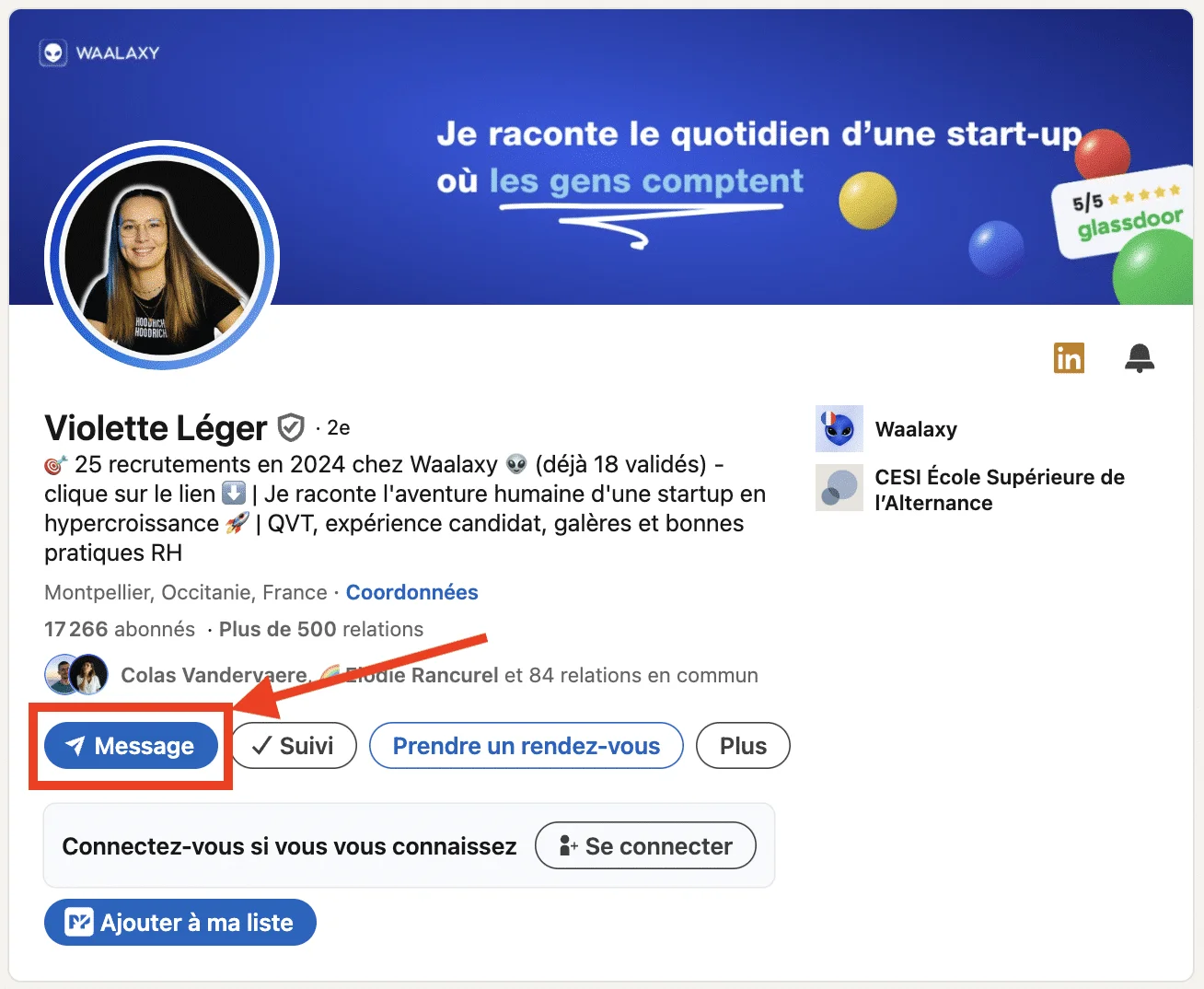
Then simply search for the person in question manually, click on Message to create a personalized message and send it.
This method is practical and free. 🤑 It's useful if you don't want to or brand, but just want to thank someone in particular.
However, to really develop your network and when you have a certain volume of messages to send, it can be very time-consuming. 😮💨
Use an automation tool
As we told you, to make volume, use an automation tool. 🤓
With marketing triggers, you can send a personalized message to everyone who adds you to their network.
With campaigns, you can send mass connection requests, then an automatic personalized message when it's accepted to start the conversation.
🤖 What's the point of automating your LinkedIn thank-you messages?
You save 10 times more time.
You can contact more people, every day, effortlessly.
You'll expand your network ultra-fast.
You'll increase your goodwill and boost your visibility.
At the end of this article, we'll explain exactly how to automate your messages on the platform, and which is the best tool for doing so.
⏰ But first, it's time to show you our best examples, to reuse and adapt to your situation.
Examples of LinkedIn thank-you messages
There's nothing like a few examples to write the perfect LinkedIn thank-you message. Once you've sent it, think about how to respond to a thank-you message. A simple positive sentence is often enough to consolidate the relationship without forcing the hand. We'll give you some examples below in the FAQ.
LinkedIn thank-you message after sending an invitation
This message is for use when you've sent an invitation (or several) on LinkedIn and it's been accepted. 😊
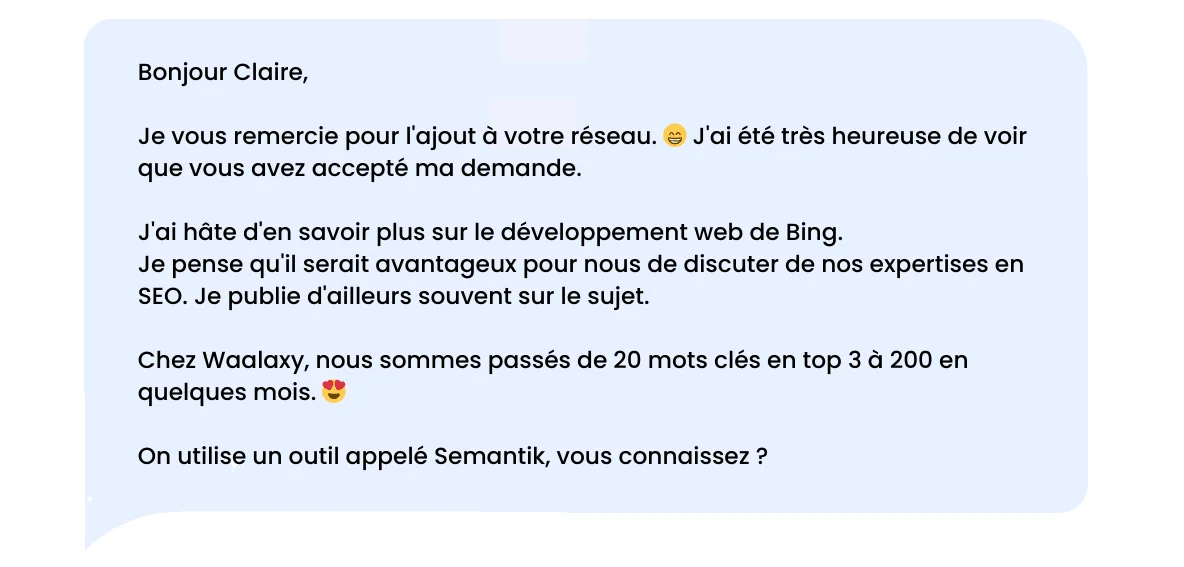
Copy and paste LinkedIn thanks 👇🏼
Of course, if you send thank-you messages every day, you may want to spend less time on them and optimize your approach.
So here's another example to copy and paste (shorter and easier to automate) 🦾 :
In short, sending a thank you after accepting a LinkedIn invitation allows you to :
Strengthen the relationship right from the start.
Demonstrate your professionalism, politeness and genuine interest in the connection.
Seize the opportunity to initiate a dialogue, personalize the exchange.
Potentially pave the way for future collaborations or opportunities 😉
👉 When you're ready to move from gratitude to outreach, pick up our templates from Message prospection LinkedIn to keep it natural, relevant and non-intrusive.
LinkedIn thank-you message after receiving a connection request
These examples are to be used to thank people who are already part of your network 👤 (whether they or you initiated the contact, send the connection request).
LinkedIn thank-you message after accepting a connection request or invitation
This thank-you is for use when you receive and accept a connection request. And, if your contact hasn't initiated the discussion with an initial message after your acceptance. 💬
It's not enough to say "Thanks for inviting me", but to start a real conversation. Don't hesitate to ask an open-ended question at the end of your message.
Since it's the other person who has made an initial move towards you, the exchange should only be more natural. 😌
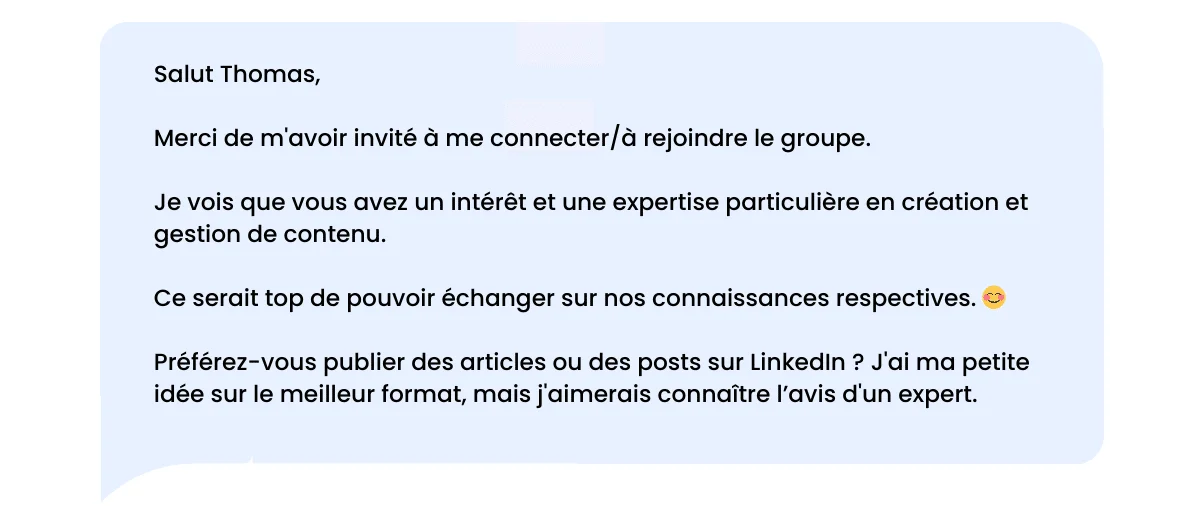
Copy and paste LinkedIn thanks 👇🏼
In this example, you :
Emphasize what you have in common.
Propose an exchange, not a direct sale.
Show that you have some expertise or experience.
Develop a relationship of trust between you and your contact. 🤝
LinkedIn thank-you message after receiving a recommendation or congratulations
Receiving congratulations on your career path or a recommendation on LinkedIn is a rather rare occurrence, so it deserves to be noticed. 👏🏼
This element on your profile carries a lot of weight, helping to reinforce your professional image and credibility. 💎
The least you can do is show your gratitude by sending a LinkedIn thank-you message to the person who shared it.
This should be simple, since it's usually someone you've worked with and know outside LinkedIn! 📲
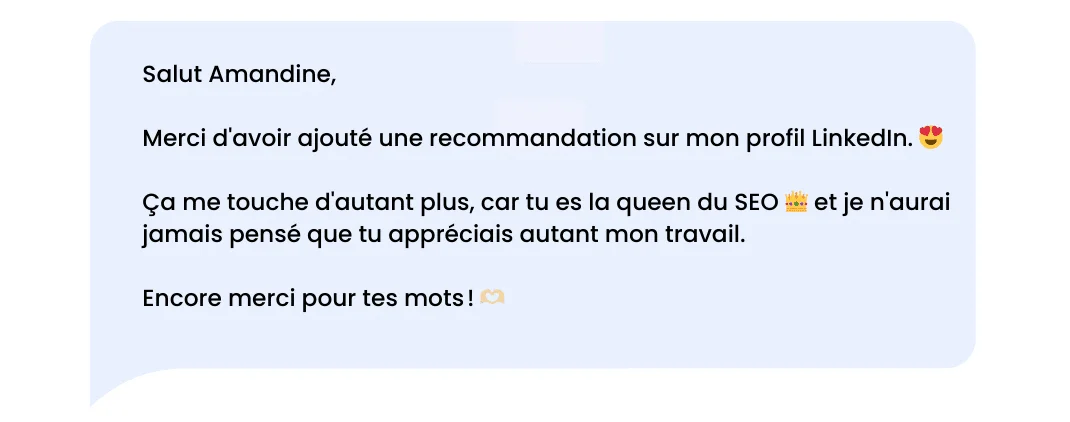
Sending a LinkedIn thank-you message after receiving a recommendation or congratulations, acknowledges the effort the person has put into this action. 🎁
This simple gesture can also encourage future interactions and consolidate your network, or perhaps an opportunity to maintain an authentic and respectful exchange.
LinkedIn thank-you message after a skills endorsement
It's much the same as after a recommendation or congratulations.
🚨 As a reminder, if you've added skills to your LinkedIn profile, members of your network have the opportunity to "validate" that skill.
This is simpler and more targeted than adding a recommendation directly to the profile. 🎯 But it also reinforces your credibility in your field of expertise.
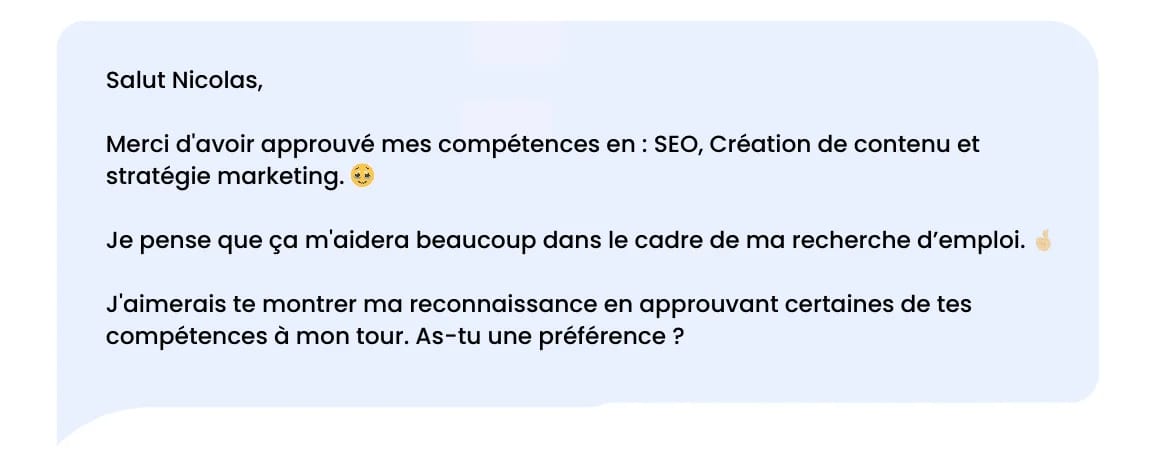
🔎 Having a lot of skills approved on your profile is especially useful if you're looking for a job, a or want to become the referent of a topic.
In this case, you should choose to run automated message campaigns to encourage your connections to approve some of your skills.
LinkedIn thank-you message after a job interview
Want to make a good impression and ensure a recruiter doesn't forget about you? 💡 S ending a private, personalized thank-you message on the professional platform is the best thing to do.
It's not too intrusive: avoid reminding them, as some recruiters might take this as insistent behavior.
Nor too involved: always thank the recruiter for his or her time, remind him or her that you enjoyed the interview and are as motivated as ever.
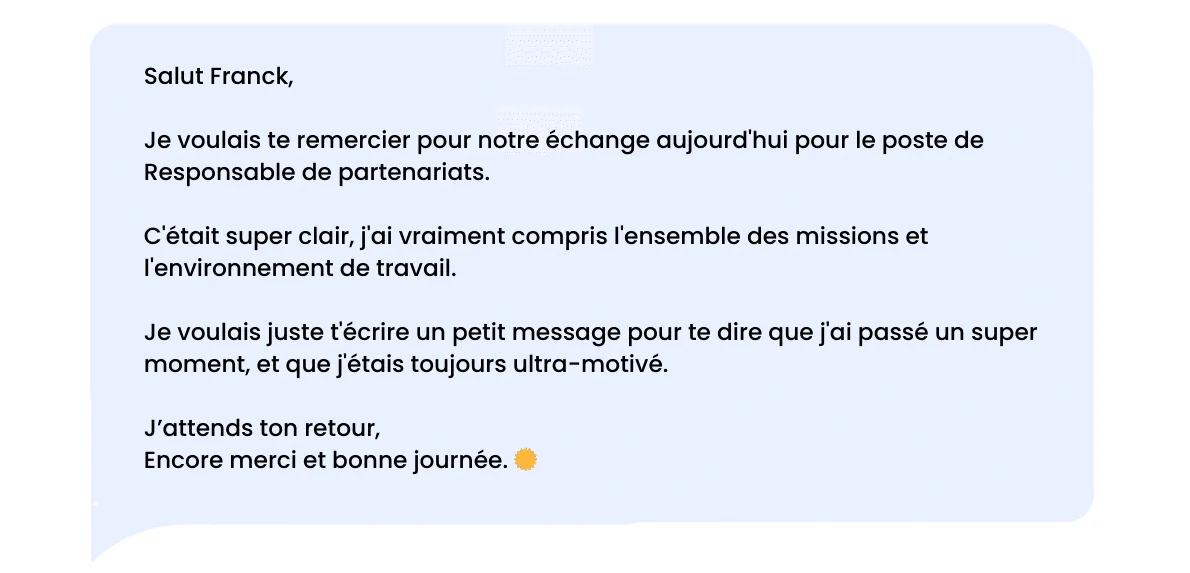
Here's an example of a LinkedIn thank-you message for young, dynamic companies:
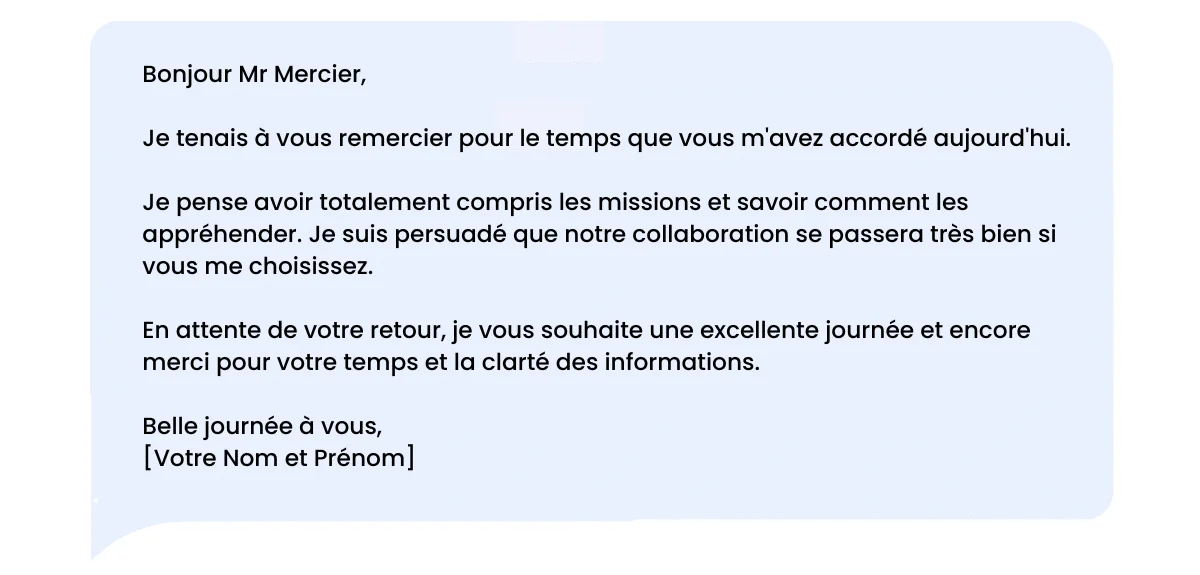
➡️ Here's another example that's a little more formal, for example, if you've applied to a large company (don't use informal turns of phrase or being on first-name terms):
If you prefer e-mail, send a thank-you interview the same day, followed by a brief message 24 to 48 hours later. This double touch is elegant without seeming insistent.
On the application side, you can attach a short thank-you paragraph to your cover letter at the end of your document, then send a more personal message as you move through the process.
LinkedIn thank-you message after reading content on LinkedIn
Another great way to get in touch or stay in touch with someone. 🤩
At the same time, you're showing her that you're interested in what she does, that you've read her content on LinkedIn and that you value her expertise.
Ideally, you should ask questions or bounce back on a topic covered in her content. 🤸🏼♂️
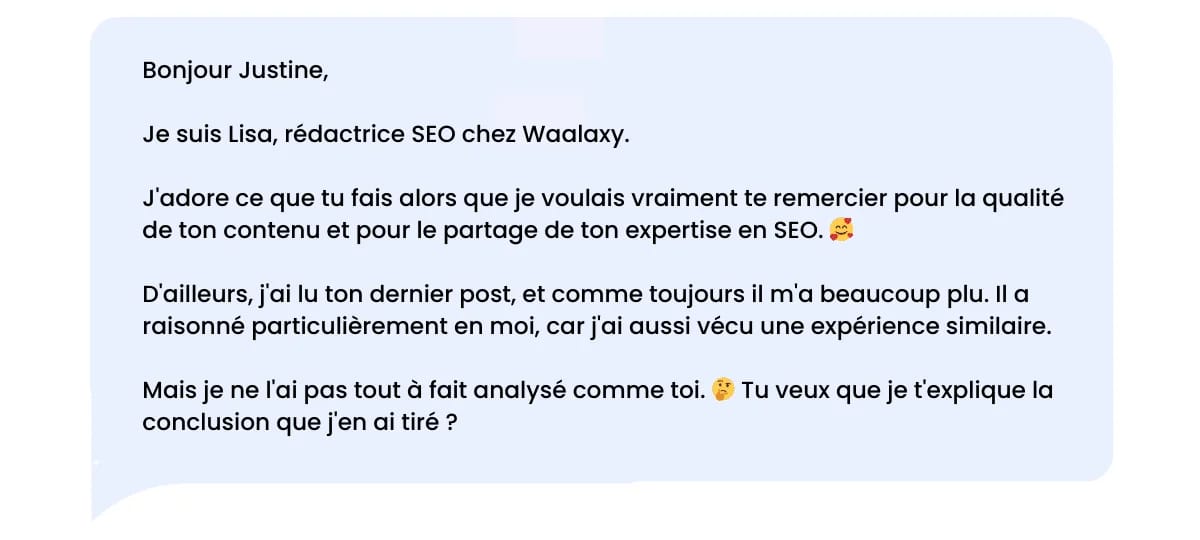
By following these steps, you're sure to have a successful approach ✅ :
Introduce yourself (name, profession, expertise and why not that of your company).
Mention the posts you've read and thank them for something: advice, an idea...
Explain the trigger: why did you feel like writing to him?
Develop your opinion on the subject.
Be sure to ask an open-ended question at the end to start the conversation.
LinkedIn thank-you message after converting a new prospect
Sending a LinkedIn thank-you message after converting a new prospect (for example, if they've signed up for a subscription or purchased one of your services) can be considered quite original. 😈
Indeed, it's more common to send a professional thank-you email for this type of transaction. But this thank-you message sent on LinkedIn can help you stand out from the crowd.
The prospect, positively surprised by this personalized interaction and special attention, could recommend you to their professional circle. 💼
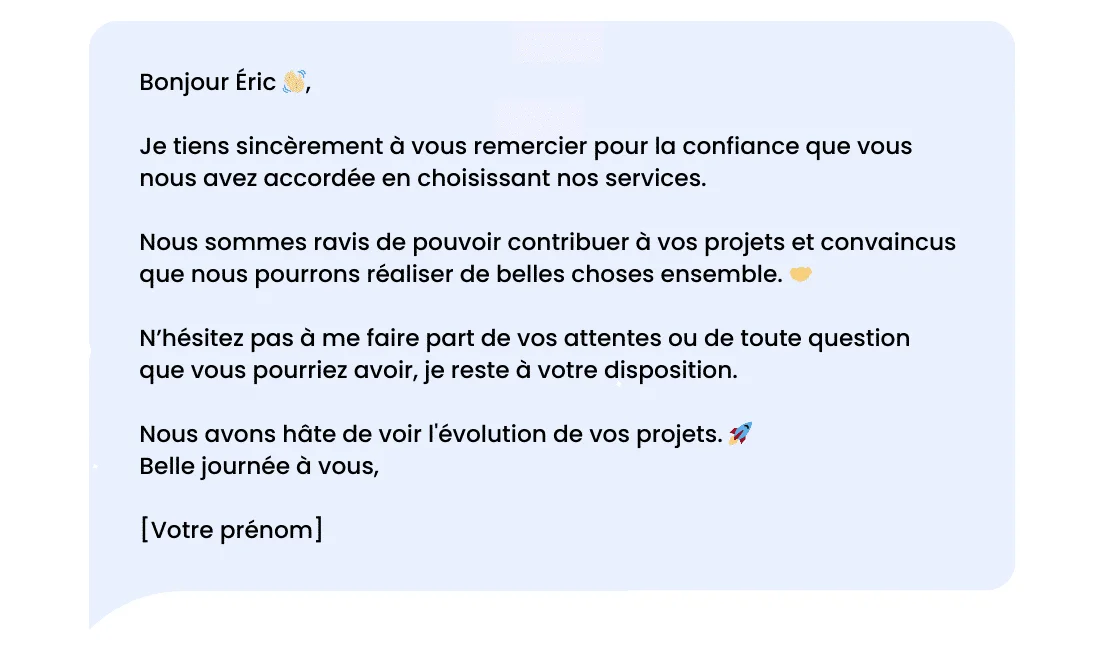
Of course, sending a LinkedIn thank-you message 🙏 it also helps to :
Strengthen the relationship of trust,
Demonstrate your professionalism,
Maintain a relationship, beyond converting the prospect into a customer.
Open the door to future collaborations.
LinkedIn thank-you message after a customer meeting
Whether it's an old customer, a new one or a customer-to-be, it's important to end on a high note, it really encourages creating a warm atmosphere. 🥰
Simply explain what you appreciated in your exchange, that you thank them for their time and that your professional relationship is pleasant. Quite simply. 😎
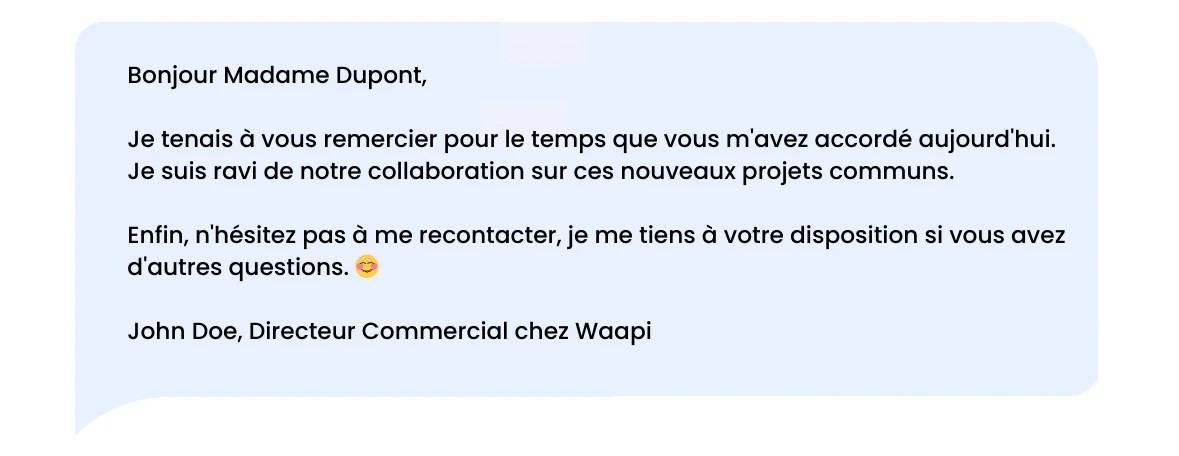
Of course, this is just an example, the form depends completely on the level of relationship you've established with your customer. 🤷🏻♀️
LinkedIn thank-you message after coaching from your manager/coach
🍀 If you're lucky enough to have a golden manager or coach who has accompanied you and participated in the solidity of your professional expertise.
We highly recommend sending them a LinkedIn thank-you message. You can also send them thanks at several points during your collaboration:
After agreeing to collaborate.
During the collaboration (this is the example shown here).
At the end of the collaboration. 🎬
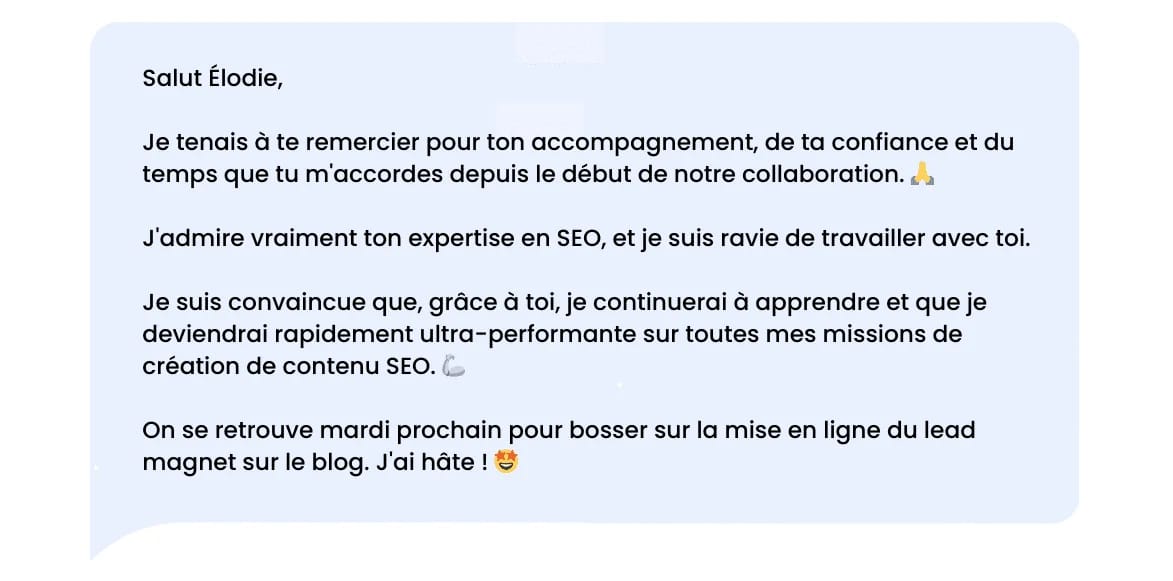
Sending a LinkedIn thank-you message to your manager/coach, once again builds a reliable and solid professional brand image. 🌠
In a formal setting, opt for a professional thank-you letter (e-mail or PDF) and then a short follow-up LinkedIn message. This duo reinforces your credibility without overloading the messaging system.
He might talk about you around him, and you never know who you're likely to work with. Remember, it's a small world. 🌍
How to automate the sending of LinkedIn thank-you messages?
When you're comfortable with the format, program a LinkedIn thank-you message triggered after acceptance. You'll stay human while saving time on a daily basis.
As we said, all you need to do is use an . There are a few on the market, but we're going to tell you about our Waalaxy tool, which is the easiest to use. 👽
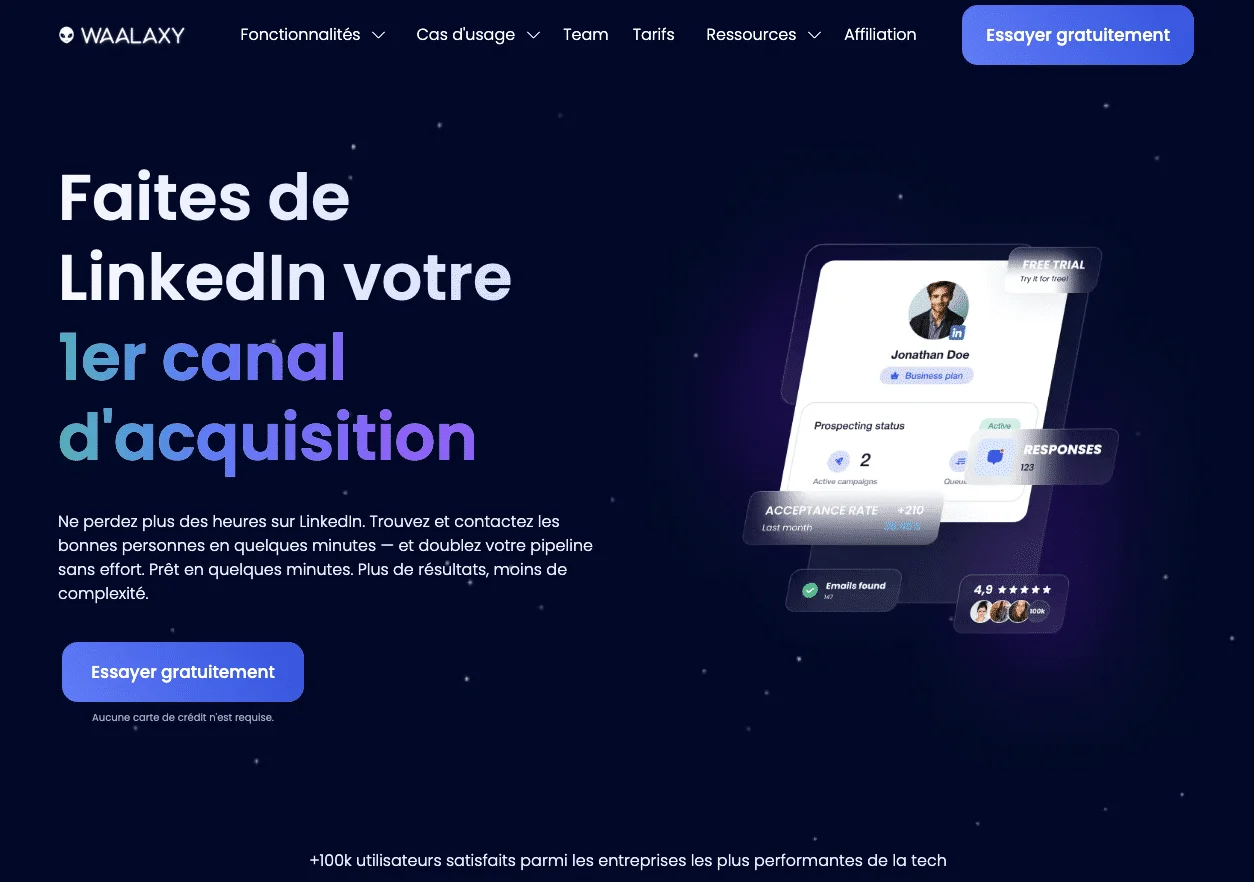
With Waalaxy, you can automatically send connection requests and then send your LinkedIn thank-you messages directly after acceptance.
All you need to do is set up a simple, personalized Waalaxy campaign. It takes 2 seconds, here's a quick tuto. 🪐
Download the chrome extension to access the CRM.
Build your database by doing a good classic LinkedIn search or search on LinkedIn Sales Navigator.
Import your prospects into a list to launch an automated prospecting message campaign.
Segment and re-sort your lists using numerous filters.
Choose your sequence from several templates and write your personalized message.
Some of Waalaxy's features, are there to help you write and optimize your LinkedIn thank-you messages. Here's what you can include:
*️⃣ Personalization variables.
🕹️ Call-to-Action (CTA)
📸 Visual(s) or videos.
🔗 Attachment.
➡️ Other: GIFs, emojis, voice notes, links...
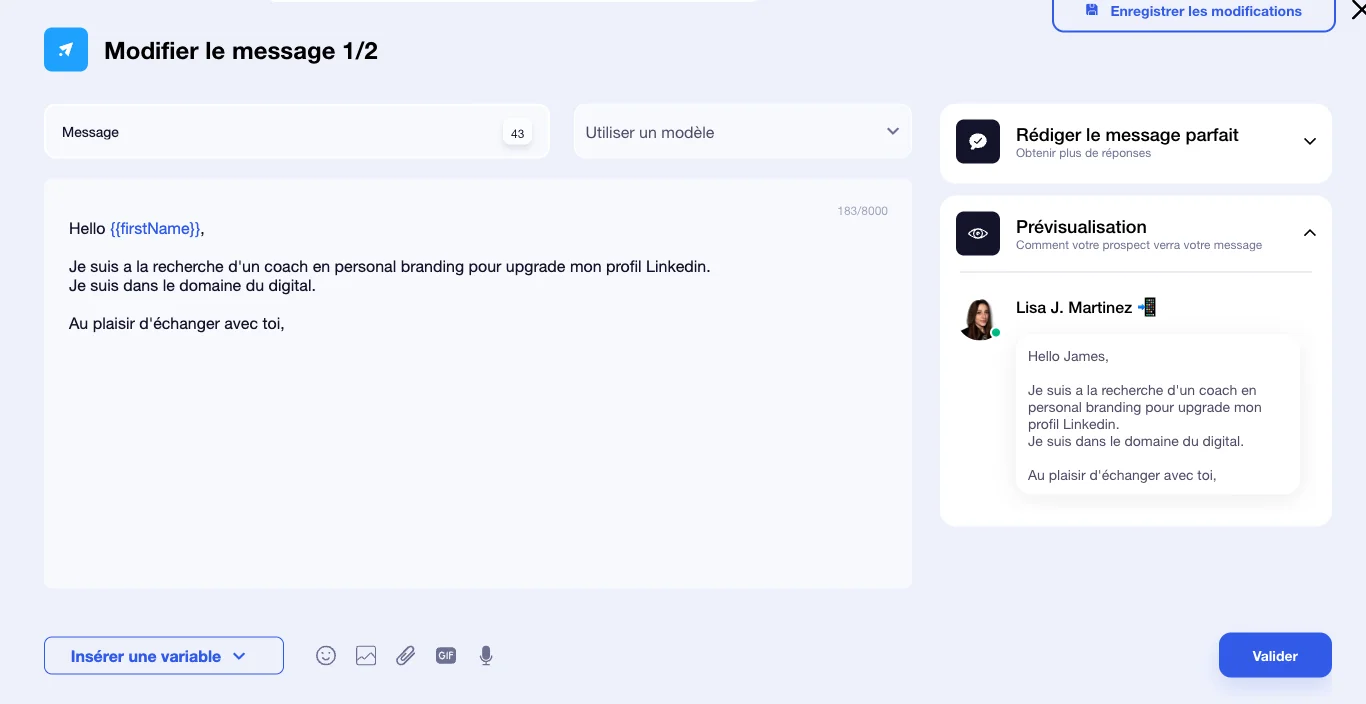
🛟 To help you even more, you have access to :
Checklist with writing tips.
Pre-visualization to make your checks.
Message template for reuse.
Examples of LinkedIn messages to be found in our articles.
AI writing wizard, like Waami, to write the perfect thank-you message.
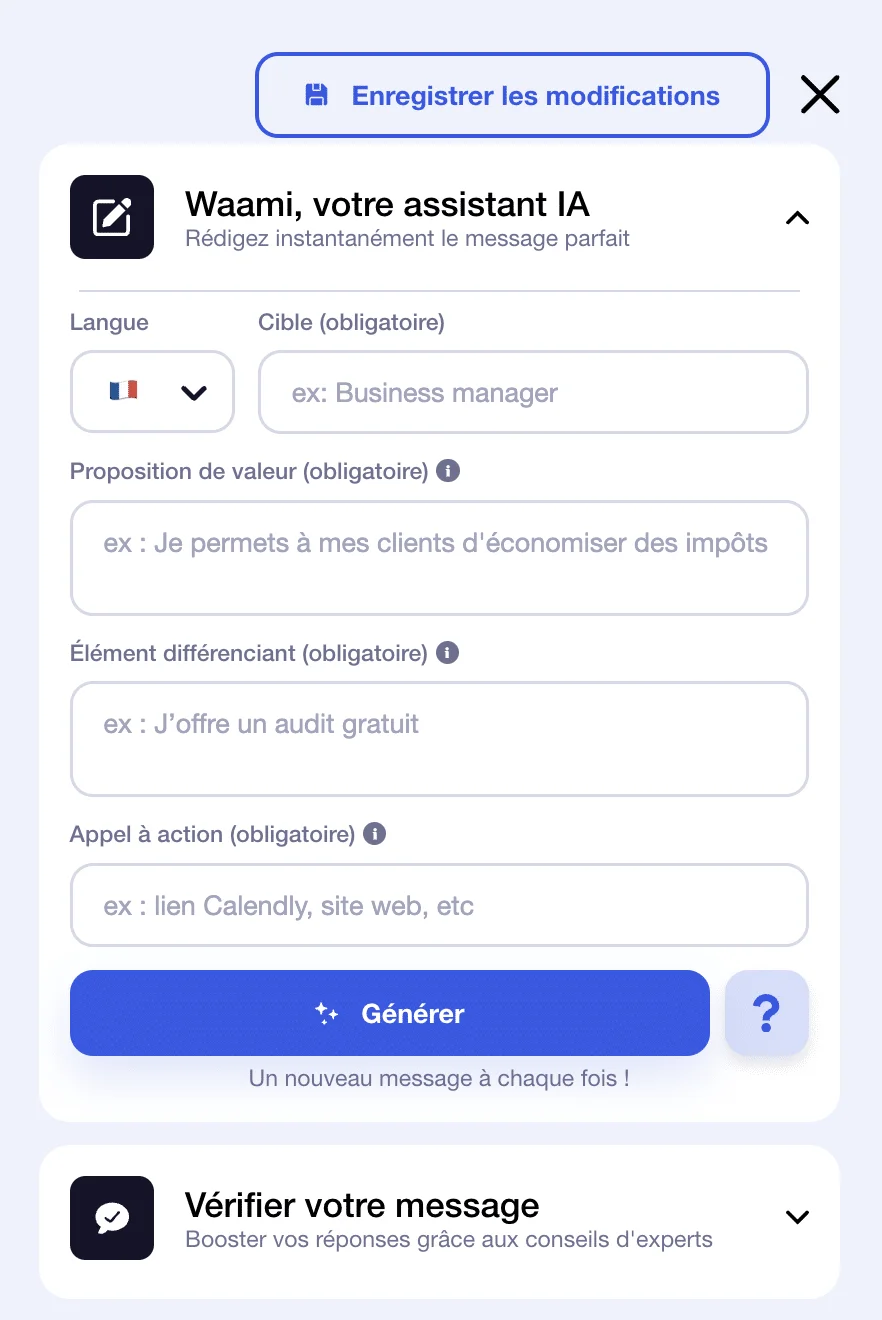
Are your messages (or e-mails) ready? You can launch the campaign! 🚀 And that's not all, you can also :
Use theEmail Finder to find your contacts' emails.
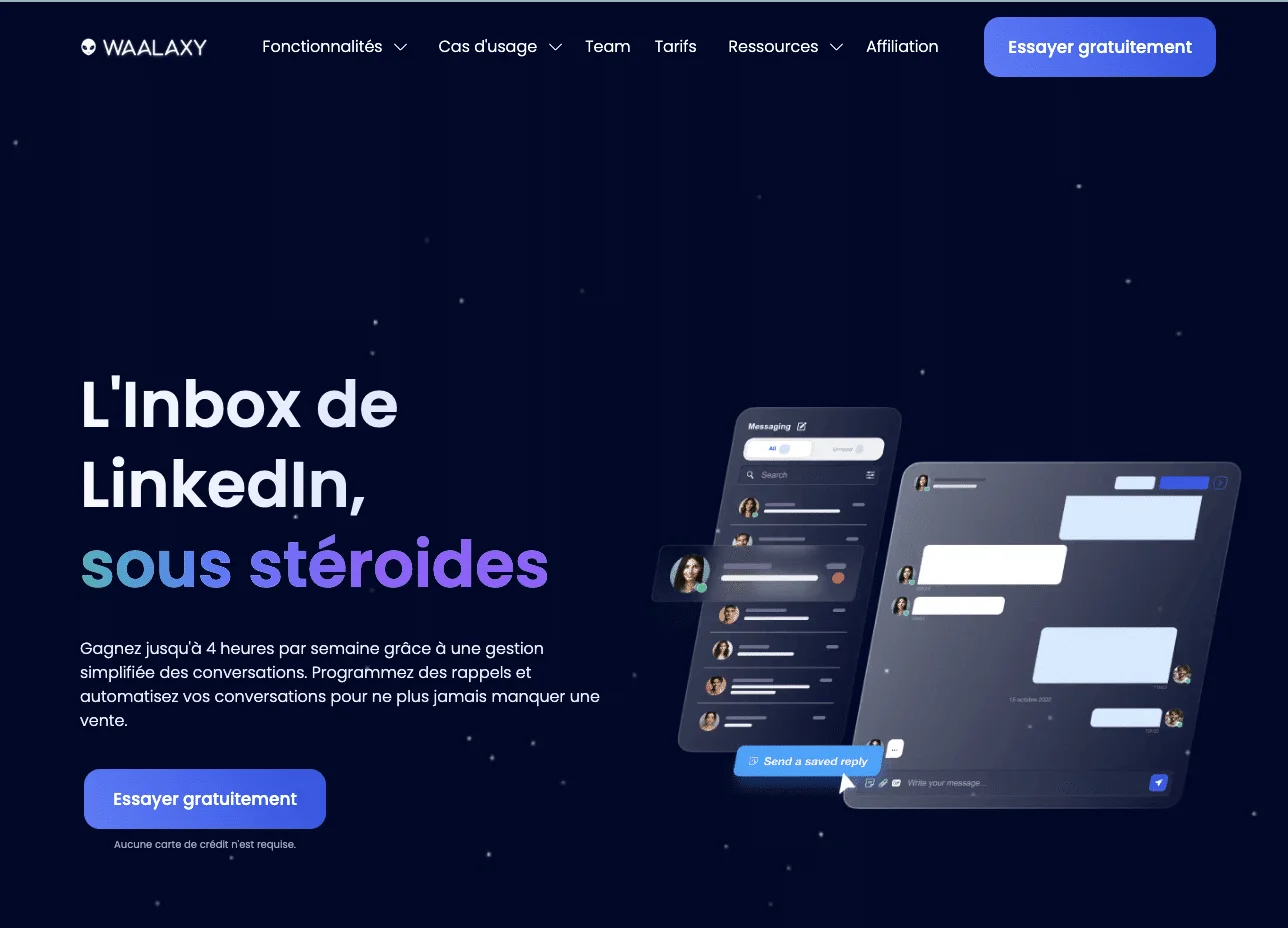
Reply to and manage your thank-you (and other) messages on theWaalaxy Inbox, a version on steroids of LinkedIn messaging. 💌
Inbox Waalaxy to manage conversations and reply in 10 times less time
To manage a large volume of messages, replies and conversations with thousands of contacts, I recommend using theInbox Waalaxy🚀.
It's LinkedIn messaging... only better: sort, search, tags, shortcuts and quick replies to work faster without missing a thing. ⚡️
✅ Personalize your exchanges with ultra-simple variables.
🧩 Create ready-to-use message templates for all your conversations.
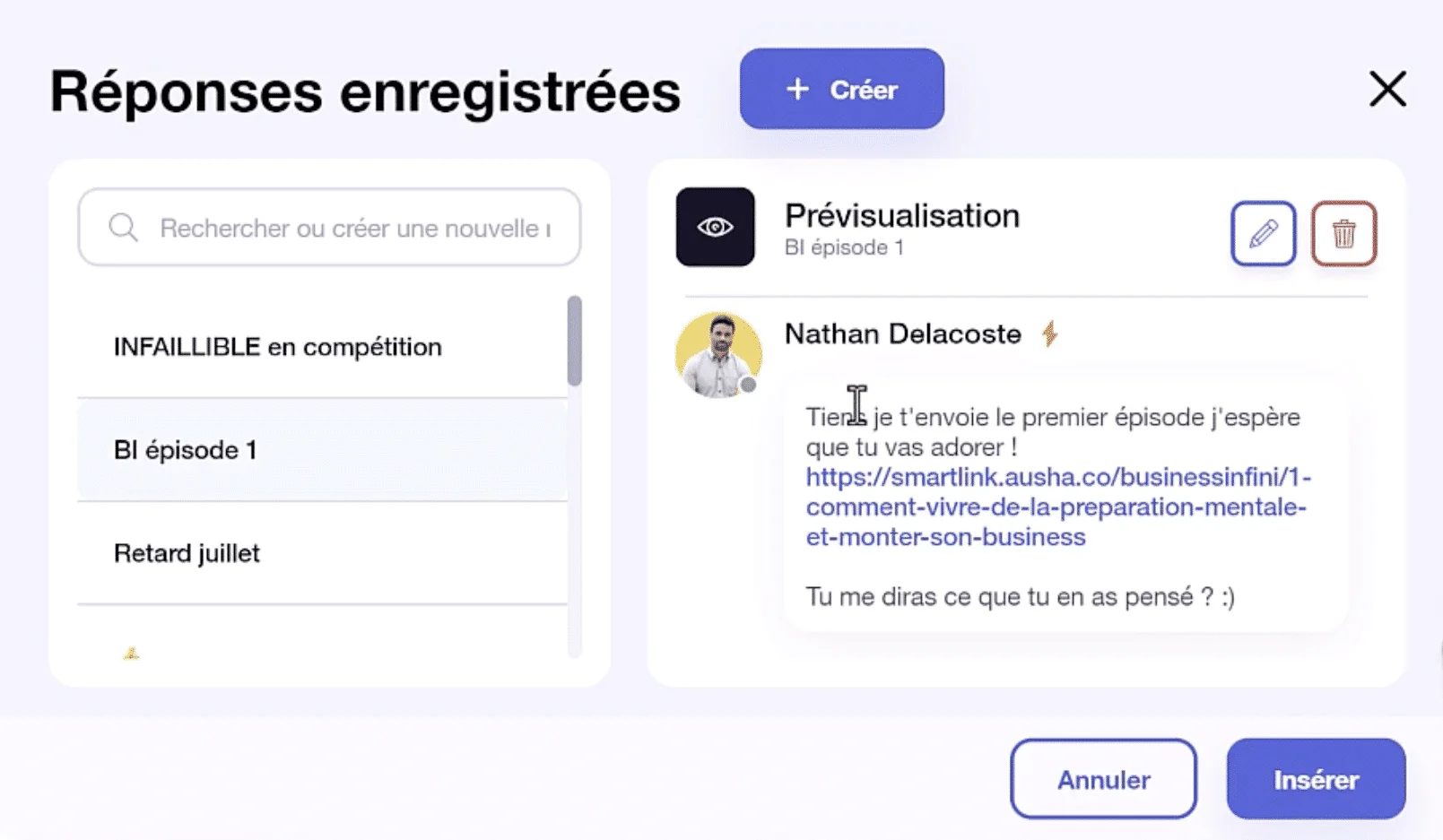
🏷️ Add notes and tags to recontact the right profiles at the right time.
⏰ Schedule your reminders without thinking about them, and keep the pace.
🔗 Synchronize Waalaxy with over 2,000 applications for a smooth workflow.
Conclusion: thank you LinkedIn
To sum up, here's what you need to remember: your thanks don't cost much, and they make people happy. 🫶🏼
LinkedIn is a professional, but it's primarily human. And, unfortunately, there's a lot of spam. 👿
To get the most out of your message, you need to know the people who read you and attract their sympathy. By sending a LinkedIn thank-you message, you'll break the codes. ⚡️
We hope our examples will help you write the perfect LinkedIn thank-you message. Feel free to modify them to suit your own taste.
Of course, there are other ways of saying thank you. You don't have to send a message; you can make a LinkedIn post, a note or even an e-mail!
Thank you for reading. ❤️
Frequently Asked Questions (FAQ) thank you LinkedIn
How do I say thank you on a LinkedIn post?
Write a simple sentence (« Thanks for sharing on [theme] »), quote a concrete point, end with a gentle question. This format captures attention without self-promotion.
You may well decide to do a public thank-you as well with a post on LinkedIn 📝 if you wish to: thank on LinkedIn a set of people (managers, collaborators, customers on the network, subscribers...).
This can also be an opportunity to make an announcement: theaddition of a promotion, the launch of a new project, the departure of a company... 🚀
This type of post is highly engaging, as it conveys emotion: joy, gratitude, well-being... They surf on current linked to the importance of softskills and well-being at work.
What's more, you'll be showing your network that you're caring and grateful, boosting your sympathy capital. 🫂
How do I reply to a LinkedIn thank-you message?
Keep it short and warm. Thank in turn, then open a light door (« I remain at your disposal if needed »). ✅
Avoid links and appointment requests in the same breath. This response to a professional thank-you maintains the naturalness of the exchange and sets the stage for subsequent conversations.
How to say thank you in an original way?
To say thank you in an original way, you need to think outside the box while remaining sincere and authentic. 💎
Instead of a simple message, think of more personal or creative ways to express your gratitude. 🎨 Here are some ideas for a quality LinkedIn thank you:
Create a personalized visual to share in your LinkedIn thank-you message, or elsewhere. The design could include heartfelt thanks, a summary of the collaboration, partnership or goals accomplished together, photos etc.
Record a short personalized video in which you thank the person, explaining the positive impact they had on you or your project. You can put the video in your LinkedIn thank-you message, it shows extra effort and humanizes the exchange.
Symbolic gift 🎁: for the closest relationships, sending a small object or a relevant book shows that you've thought about the person and know them well.
What to say instead of thank you on LinkedIn?
Good news: you can vary without writing « thank you » word for word. The idea is to remain warm, precise and short, while adapting the formula to the context. Here are some ready-to-copy-and-paste alternatives to suit the situation. 🙌
Connection accepted: « Delighted to join your network. Looking forward to discussing [topic]. »
Response received : « I appreciate your feedback, it clarifies [point] for me. »
Recommendation: « Your testimonial means a lot to me .»
Sharing content: « Your post was useful, especially the part about [detail]. »
Interview or pro exchange: « Our discussion really helped me clarify [topic]. »
Waalaxy tip : keep one sentence, one concrete benefit, then a small opening (« Can I ask you a short question about [x]? »). No link, no appointment in the first message. ✨
That's it, you've got all the keys to writing the perfect LinkedIn thank-you message (for any occasion). See you soon! 👽