
If you're reading this article, it's probably because you've just landed in a new Waalaxy. 😜🌎
Let's take a look at how to synchronize a Waalaxy account with Gmail. Although any uncharted Waalaxy can give a bit of a headache.
Don't worry, our team of super Waalyans is here to help. 👽
Why synchronize Waalaxy with Gmail?
By setting up Waalaxy synchronization with Gmail, we'll be able to send emails to your prospects on your behalf, at no extra cost.
You'll be able to establish contact by email, with prospects connected on LinkedIn, or thanks to enriched emails via DropContact, directly without Waalaxy.
You can send up to 500 emails per day.
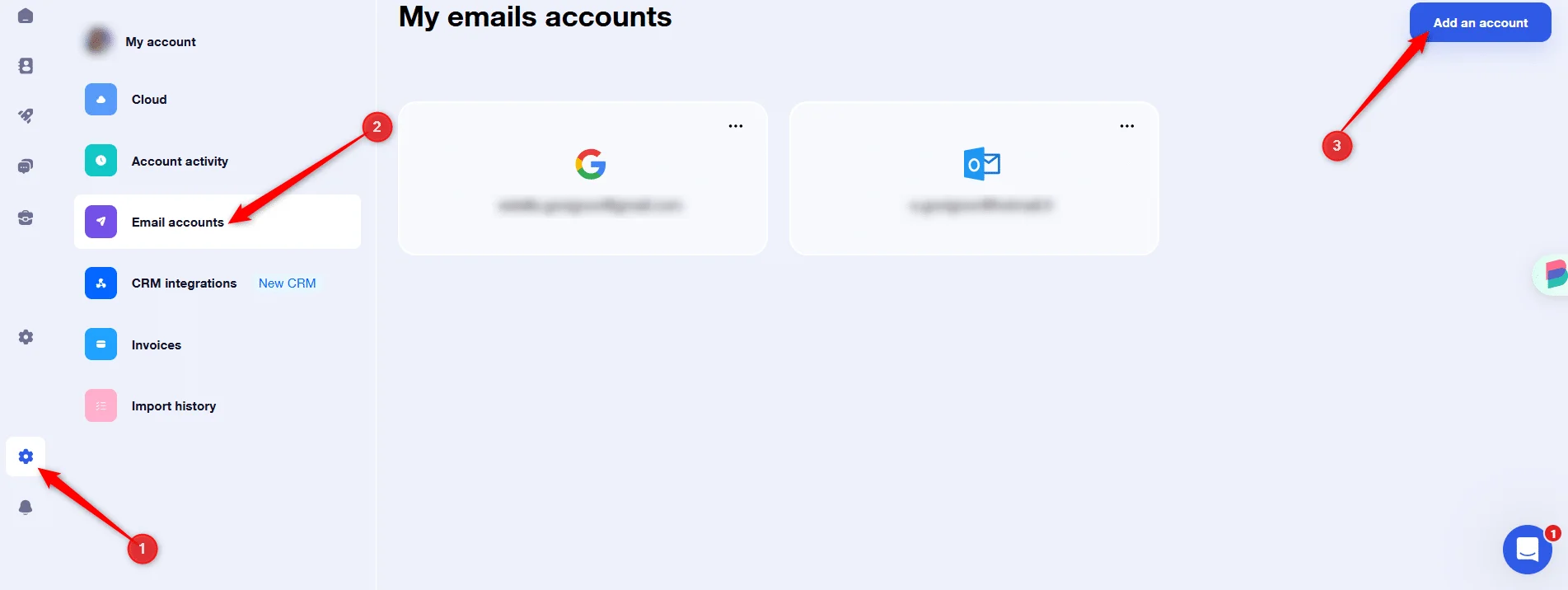
Step 1) Go to Waalaxy Settings
To get started, go to Settings > Email Accounts > Add Account 👇
Step 2) Select the provider
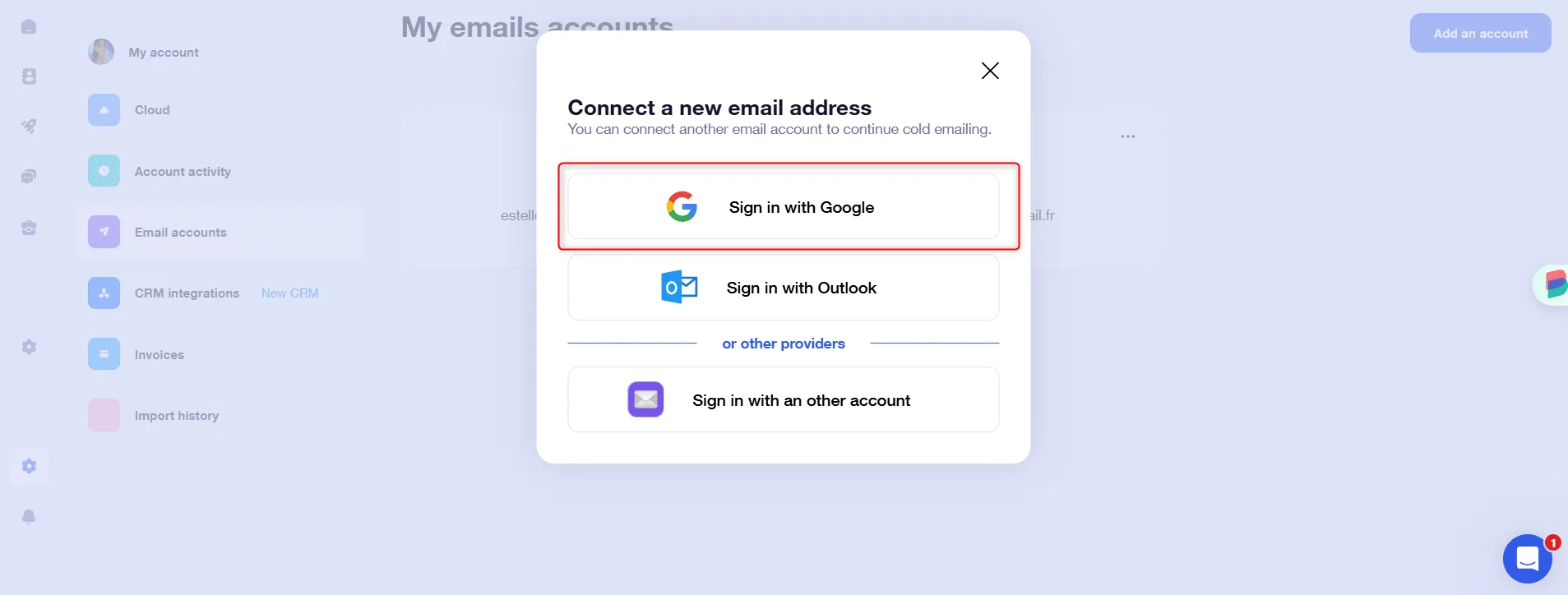
Select "Connect with Google" 👇
Step 3) Select email address
Select the email address of your choice: either the one corresponding to the Chrome session you're logged in to, or another address of your choice 👇

Step 4: Authorize access
Now you need to authorize access to Waalaxy 👇
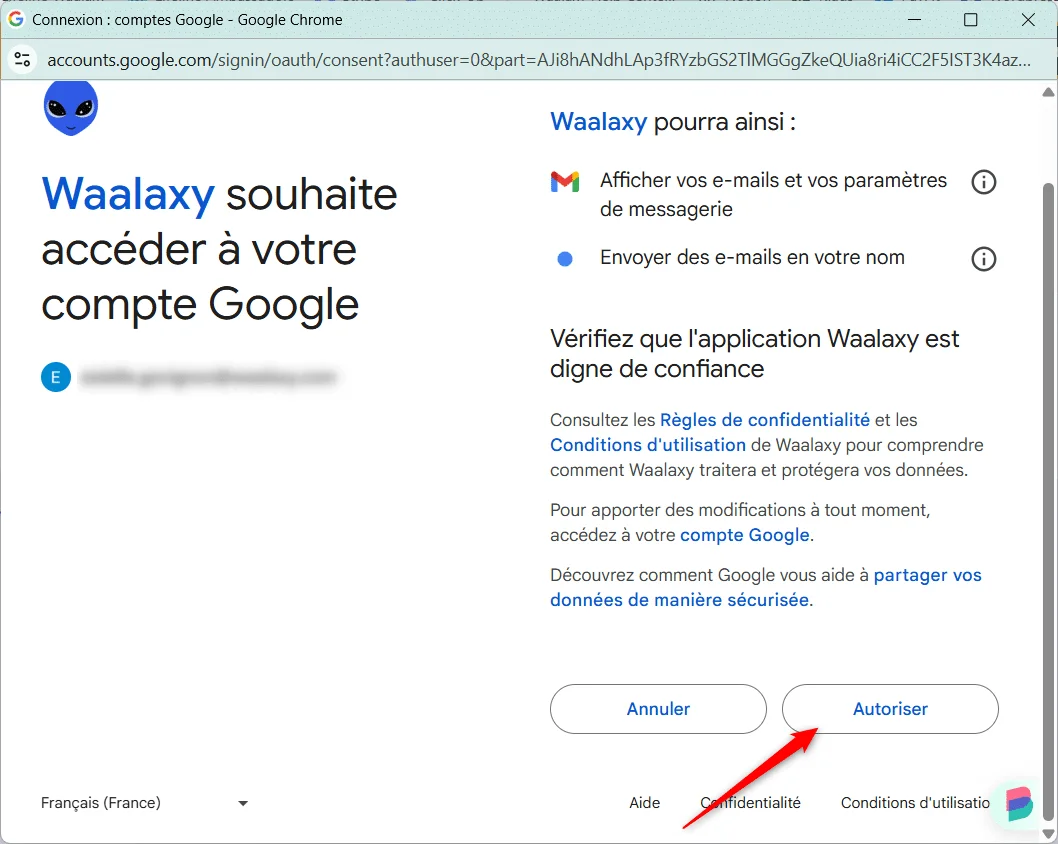
And that's it! Your Gmail or Gmass account is correctly configured, secured by Google and ready to be used in Waalaxy!

If you have any questions, don't hesitate to contact us via chat. 🤩